Email phishing examples help users recognize phishing attacks before damage occurs. Despite improved email security tools, phishing emails remain one of the most successful attack methods because they imitate legitimate communication and exploit routine behavior.
Email phishing attacks are designed to look normal, urgent, and trustworthy. By examining real-world email phishing examples, users can learn how attackers structure messages, what warning signs appear repeatedly, and how to spot phishing emails before clicking links or sharing information.
Quick Navigation
Email Phishing Examples Explained Clearly
Common Email Phishing Examples Users Encounter
Typical email phishing examples include messages claiming:
-
Account security issues
-
Payment or invoice problems
-
Package delivery failures
-
Password reset requests
These phishing emails often copy branding, tone, and formatting from trusted organizations.
This aligns with the phishing definition explained in What Is Phishing? A Complete Beginner’s Guide
Email Phishing Example: Fake Account Security Alert
Email Phishing Attacks Using Fear and Urgency
One common email phishing example is a fake security alert.
The phishing email:
-
Claims suspicious activity
-
Warns of account suspension
-
Demands immediate action
Fear and urgency reduce verification, a tactic explained in The Role of Trust, Fear, and Urgency in Social Engineering
Email Phishing Example: Invoice or Payment Request
Business Email Phishing Attacks Explained
Another frequent email phishing example involves invoices.
The phishing email:
-
Appears to come from a vendor
-
References payment issues
-
Includes an attachment or link
These attacks are especially effective against finance teams, reflecting real-world scenarios discussed in Real-World Social Engineering Examples Explained Simply
Email Phishing Example: Fake Password Reset Email
Credential Theft Email Phishing Attacks
Password reset phishing emails:
-
Mimic login services
-
Use familiar branding
-
Include fake reset links
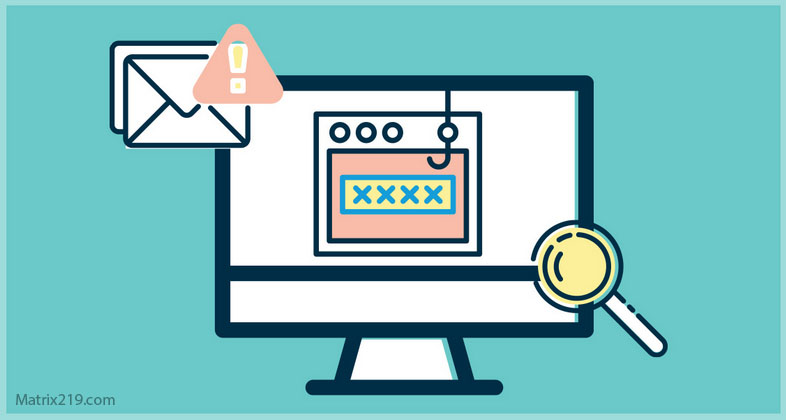
Victims are tricked into entering credentials on fraudulent pages.
How Email Phishing Attacks Are Structured
Anatomy of Email Phishing Attacks
Most email phishing attacks contain:
-
A believable sender name
-
Emotional language
-
A clear call to action
-
A sense of urgency
This structure mirrors early stages of the Social Engineering Attack Lifecycle: Step-by-Step Breakdown
How to Spot Email Phishing Attacks
Email Phishing Red Flags Users Should Check
Users should watch for:
-
Unexpected requests
-
Urgent language
-
Generic greetings
-
Links asking for credentials
These warning signs overlap with broader indicators covered in Common Social Engineering Red Flags Most Users Miss
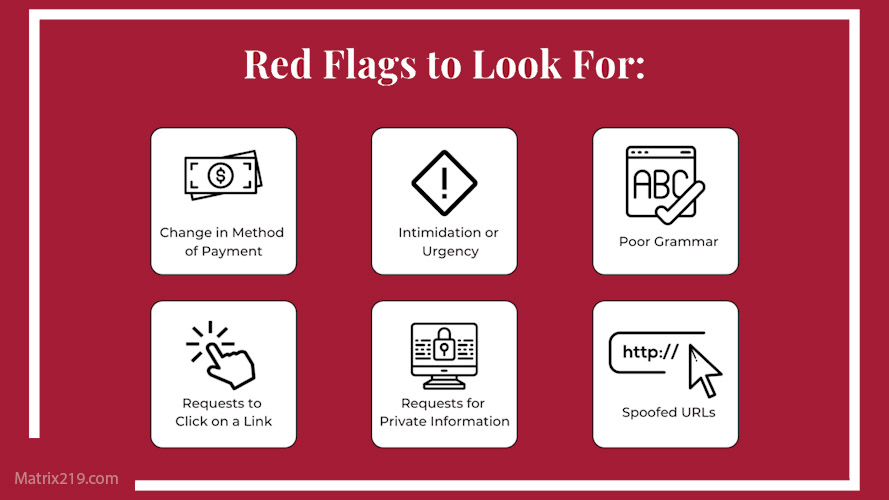
Phishing Red Flags
Why Email Phishing Still Works
Why Email Phishing Attacks Bypass Security
Email phishing attacks succeed because:
-
They look legitimate
-
They rely on human trust
-
They avoid malware
This explains why phishing remains more effective than technical attacks, as discussed in Why Social Engineering Attacks Are More Effective Than Malware
How Email Phishing Bypasses Technical Defenses
Email Phishing and Valid User Actions
Email phishing attacks bypass defenses by:
-
Triggering valid logins
-
Using trusted platforms
-
Avoiding detectable malware
This aligns with how social engineering bypasses controls, as explained in How Social Engineering Attacks Bypass Technical Security
What to Do When You Spot an Email Phishing Attack
Responding Safely to Phishing Emails
If you suspect email phishing:
-
Do not click links
-
Do not open attachments
-
Verify the sender independently
-
Report the email
Pausing prevents compromise.
External Guidance on Email Phishing
Cybersecurity authorities consistently warn that email phishing remains the most common attack vector, as highlighted in CISA Email Phishing Guidance
Frequently Asked Questions (FAQ)
What are the most common email phishing examples?
Fake security alerts, invoice requests, and password reset emails.
Are phishing emails always poorly written?
No. Many phishing emails are well-written and professional.
Can email filters stop all phishing attacks?
No. Filters help, but human judgment is still required.
Should I reply to a phishing email?
No. Do not reply or engage with phishing emails.
Can phishing emails steal information without clicks?
Some phishing emails collect information through replies or attachments.
Conclusion
Email phishing examples show that phishing emails succeed by imitating normal communication and exploiting trust. Attackers do not rely on complex malware—they rely on human behavior.
Learning how to spot phishing emails is one of the most effective ways to prevent account compromise, financial loss, and data breaches. In email-based phishing, awareness remains the strongest defense.