Banking apps after phone hacking require extra caution, because financial apps operate on trust: trusted devices, trusted sessions, and trusted numbers. Once a phone is compromised, that trust is broken—even if no money is missing yet. Many financial losses happen after the initial incident, when users assume “nothing happened” and keep using banking apps too soon.
This guide explains how phone hacking affects banking apps, what actions are immediately required, what’s usually safe, and when you must escalate to your bank. The goal is to protect funds, avoid liability issues, and regain secure access without triggering account locks or fraud flags.
Quick Navigation
Why Banking Apps Are High-Risk After Phone Hacking
Financial apps depend on multiple phone-linked factors.
What banking apps typically trust
-
The device itself
-
SMS or app-based verification
-
Saved sessions or biometrics
-
Email-linked recovery
If any of these were exposed, banking access is no longer reliable.
For the broader incident framework, review: If Your Phone Is Hacked: How to Know, What to Do, and How to Stay Safe
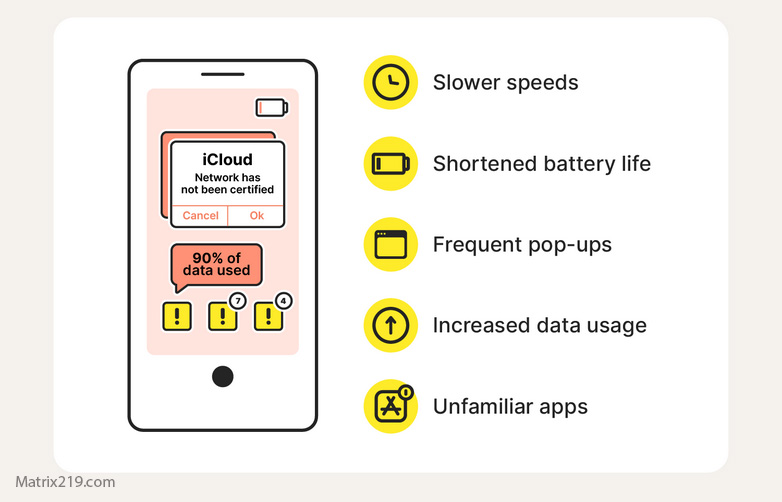
Step 1: Stop Using Banking Apps Immediately
This protects you legally and financially.
What to do right away
-
Do not open banking apps on the compromised phone
-
Avoid transfers, card changes, or new logins
-
Do not rely on “no suspicious activity” as reassurance
If you’re still in the first-response phase, start here: What to do immediately if your phone is hacked
Step 2: Secure Accounts and Communication Channels First
Banks follow your lead—secure your identity first.
Priorities before contacting the bank
-
Secure email from a clean device
-
Lock SIM and carrier access
-
Secure Apple ID or Google account
If SMS verification was used, SIM security is mandatory: Lock SIM & carrier actions after phone hacking
For full sequencing, see: If Your Phone Is Hacked: Step-by-Step Recovery Guide (Android & iPhone)
Step 3: Contact Your Bank the Right Way
Timing and wording matter.
How to contact your bank safely
-
Use official phone numbers or in-branch visits
-
Report suspected device compromise, not “just hacking”
-
Ask about temporary account monitoring or limits
Early disclosure helps protect you if fraud appears later.
Step 4: Decide Whether to Reinstall or Re-Authenticate Banking Apps
Don’t rush back in.
When it’s usually safe to return
-
Phone is cleaned or reset
-
Accounts and SIM are secure
-
Bank confirms no suspicious activity
When to delay
-
Spyware or permission abuse was found
-
The phone still shows unexplained behavior
Banks prefer delay over repeated lockouts.
Step 5: Review Transaction History and Alerts Carefully
Fraud is often subtle at first.
What to review
-
Small “test” transactions
-
Card or limit changes
-
New payees or beneficiaries
Enable alerts for every transaction, not just large ones.
Step 6: Reduce Future Banking Risk on Phones
Hardening matters here more than anywhere else.
Best practices after recovery
-
Use app-based or hardware verification, not SMS
-
Avoid saving cards or credentials unnecessarily
-
Keep banking apps isolated from non-essential apps
-
Consider a dedicated device for high-value accounts
If data leakage was suspected, review: How to stop data exfiltration
When Banking Access Should Be Fully Paused
Err on the side of safety.
Pause access if:
-
The phone was rooted or jailbroken
-
Spyware was confirmed
-
Verification codes arrive unexpectedly
In these cases, in-branch verification or a new device is often required.
Financial security guidance consistently emphasizes that device compromise—even without confirmed fraud—warrants temporary suspension of mobile banking access, because delayed reporting can affect fraud reimbursement eligibility Mobile banking security and fraud response guidance
Frequently Asked Questions
Should I uninstall my banking apps?
Not immediately. Pause use until accounts and device are secure.
Is biometric login still safe?
Only if the device itself is trusted again.
Do banks blame users for phone hacking?
It depends—early reporting protects you.
Should I change all banking passwords?
Yes, after email and phone security are restored.
Is a new phone necessary for banking safety?
Sometimes—especially after confirmed spyware.