
Choosing the best free antivirus for gaming PCs in 2026 is about one priority above all others: performance stability. Gamers don’t want background scans mid-match, CPU spikes during boss fights, or pop-ups stealing focus at the worst possible moment. Security matters—but only if it stays out of the way.
The challenge is that many antivirus tools are designed for general users, not high-performance gaming systems. Features like constant background monitoring, aggressive notifications, or heavy telemetry can introduce micro-stutters, FPS drops, and input lag. On gaming PCs, those issues are instantly noticeable.
This article explains what gamers actually need from free antivirus software in 2026, which features help or hurt gaming performance, and how to stay protected without sacrificing frame rates or responsiveness.
Quick Navigation
Why gaming PCs need special consideration
Gaming systems differ from typical PCs because they:
-
Run CPU- and GPU-intensive workloads
-
Demand consistent frame timing
-
Often use fullscreen or borderless modes
-
Are sensitive to background interruptions
An antivirus that’s “fine” for office use can be disruptive during gaming sessions.
For the full security framework before choosing:
best free antivirus in 2026
Common antivirus problems gamers complain about
Across gaming communities, recurring issues include:
-
Real-time scans triggering during gameplay
-
Pop-ups minimizing or overlaying fullscreen games
-
Background services competing for CPU resources
-
Network monitoring increasing latency
These problems don’t always show in benchmarks—but gamers feel them immediately.
What gaming-friendly antivirus looks like in 2026
A good free antivirus for gaming PCs should offer:
-
Lightweight, low-idle resource usage
-
Event-based scanning (not constant full scans)
-
Automatic silent or “game mode” behavior
-
Minimal notifications during fullscreen apps
Silence and predictability matter more than flashy dashboards.
Built-in game modes: helpful or marketing?
Some antivirus tools advertise “game mode” or “silent mode.” In practice:
-
Good implementations suppress notifications automatically
-
Poor ones just hide pop-ups but keep background activity
Always test whether CPU and disk usage actually drop during gameplay—not just whether alerts disappear.
Performance impact: what actually affects FPS
The biggest antivirus-related FPS killers are:
-
Disk scans during asset loading
-
CPU spikes from behavioral analysis
-
Network inspection during online play
Lightweight antivirus tools minimize these by scanning on install or download—not constantly.
For performance-focused systems in general:
Best Free Antivirus for PC (Low-End Devices)
Antivirus vs anti-cheat concerns
Gamers sometimes worry about conflicts with:
-
Anti-cheat systems
-
Game launchers
-
Mods and overlays
Reputable antivirus tools usually coexist fine, but aggressive heuristics can flag mods or trainers incorrectly. False positives are more disruptive in gaming environments than elsewhere.
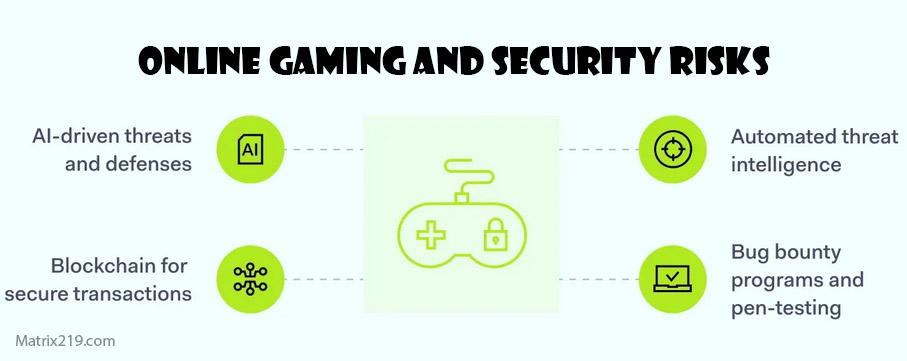
Online gaming and security risks
Gaming PCs face specific risks:
-
Fake mods and cheat downloads
-
Phishing links in gaming chats
-
Compromised launchers or installers
Free antivirus tools add value here by scanning downloads and links before they’re opened.
Privacy and background activity
Some free antivirus tools:
-
Run constant analytics in the background
-
Display ads or upgrade prompts mid-session
On gaming PCs, this isn’t just annoying—it’s disruptive. Tools with minimal telemetry and ads are better suited for gaming.
For monetization insight:
How Free Antivirus Makes Money
When free antivirus is enough for gamers
Free antivirus is usually sufficient if:
-
You mainly game and browse casually
-
You download mods from trusted sources
-
You keep your OS and drivers updated
Most gaming-related threats are user-driven, not system exploits.
When gamers should consider paid options
Paid solutions may make sense if:
-
You download many third-party mods or tools
-
You stream or create content professionally
-
You want advanced ransomware recovery
For most casual and competitive gamers, however, free lightweight protection is enough.
Final verdict
The best free antivirus for gaming PCs in 2026
is one you don’t notice while playing. Lightweight design, silent behavior, and predictable performance matter far more than extra features. When chosen carefully, free antivirus can protect against real risks—without stealing frames or breaking immersion.
For the complete ranking and platform-wide recommendations, revisit:
best free antivirus in 2026
FAQ
Can antivirus software reduce FPS?
Yes. Poorly optimized tools can cause CPU and disk spikes that affect frame rates.
Do I need to disable antivirus while gaming?
No. A well-designed antivirus should stay silent automatically during gameplay.
Are gaming modes in antivirus reliable?
Some are. Always verify actual resource usage, not just suppressed notifications.
Can antivirus conflict with anti-cheat systems?
Rarely, but false positives can happen—especially with mods and trainers.
Is Windows Defender enough for gaming PCs?
Often yes, but some gamers prefer third-party tools for better download and phishing protection.