Choosing the best lightweight free antivirus to download in 2026 is about one thing above all: protection without friction. Many users don’t need massive security suites with dozens of background services. They need something that installs fast, runs quietly, and protects effectively—especially on older laptops, work PCs, or systems where performance matters.
Lightweight doesn’t mean weak. Modern antivirus engines increasingly rely on cloud intelligence, behavior monitoring, and event-based scanning instead of heavy local databases. When done right, this approach delivers solid protection with minimal CPU, RAM, and disk usage.
This article explains what “lightweight” really means in 2026, how to identify genuinely efficient free antivirus tools, and how to avoid downloads that only claim to be light while draining system resources.
Quick Navigation
Why lightweight antivirus matters more than ever
In real-world usage, heavy antivirus software causes:
-
Slower boot times
-
Lag during multitasking
-
Fan noise and thermal throttling on laptops
These issues push users to disable protection entirely—which is worse than using a lighter tool. A lightweight antivirus keeps protection enabled because it doesn’t get in the way.
For the full comparison framework: best free antivirus in 2026
What makes an antivirus “lightweight” in 2026
A genuinely lightweight free antivirus usually has:
-
Cloud-based malware detection
-
Event-driven scanning (on install/download, not constantly)
-
Minimal background services
-
Small installation footprint
If an antivirus advertises dozens of features, it’s rarely lightweight.
Common myths about lightweight antivirus
Some users believe:
-
“Lightweight means lower protection”
-
“Small installers are less capable”
In reality, protection quality depends on detection logic and cloud intelligence—not installer size. Many modern engines offload heavy analysis to vendor servers.
Performance impact you should realistically expect
A good lightweight antivirus should:
-
Use near-zero CPU when idle
-
Avoid constant disk access
-
Trigger brief scans only when risk appears
If your system feels slower after installation, the antivirus isn’t lightweight—regardless of marketing claims.
For weak hardware scenarios: Best Free Antivirus for PC (Low-End Devices)
Lightweight antivirus vs built-in protection
Built-in system security is often lightweight by design, but it may lack:
-
Fast reaction to emerging threats
-
Detailed alerts and controls
-
Extra phishing and download checks
Lightweight third-party antivirus tools aim to fill these gaps without bloating the system.
For Windows-specific context: Best Free Antivirus for Windows 11 in 2026
Download size vs runtime efficiency
Small download size doesn’t always equal low system impact:
-
Some tools download components later
-
Others install ad modules after setup
What matters is runtime behavior, not installer size alone. Monitor CPU and RAM usage after installation to judge real efficiency.
Privacy considerations for lightweight tools
Efficient antivirus tools often rely on cloud checks, which means:
-
Anonymous threat metadata is sent for analysis
-
File behavior is evaluated remotely
This is normal—but transparency is key. Lightweight should never mean hidden tracking.
For monetization clarity: How Free Antivirus Makes Money
Safe sources for downloading lightweight antivirus
To avoid bloated or modified installers:
-
Use official vendor websites only
-
Avoid “optimized” or “repacked” downloads
-
Skip download portals with bundled offers
Lightweight antivirus loses its value if the installer adds junk.
For safe download practices: Antivirus Free Download: What’s Safe in 2026?
When lightweight free antivirus is the best choice
This type of antivirus is ideal if:
-
Your PC has limited RAM or CPU
-
You value performance over extra features
-
You want “set it and forget it” protection
For many users, this balance is exactly what free antivirus should be.
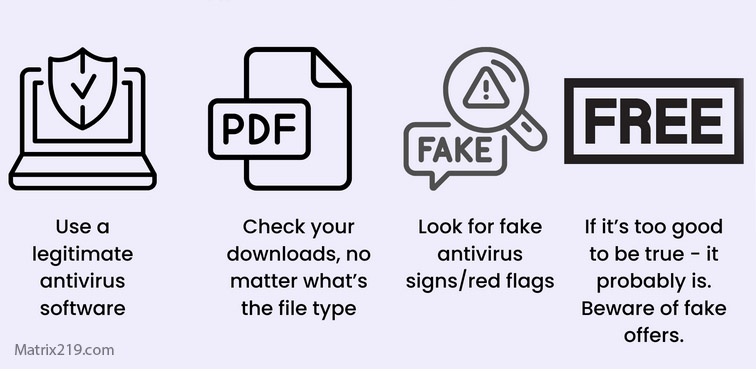
lightweight free antivirus is the best choice
When lightweight tools may not be enough
Consider heavier or paid solutions if:
-
You need ransomware rollback
-
You manage sensitive business data
-
You want advanced network controls
Lightweight tools focus on prevention, not recovery.
Final thoughts
The best lightweight free antivirus to download in 2026 is one you barely notice. Modern security doesn’t need to be loud or heavy—it needs to be smart. When cloud intelligence, behavioral detection, and minimal background activity come together, lightweight protection can be both effective and user-friendly.
For a complete overview of free antivirus options and where lightweight tools fit best, return to: best free antivirus in 2026
FAQ
Does lightweight antivirus offer real-time protection?
Yes. Most modern lightweight tools provide real-time protection using event-based scanning.
Can lightweight antivirus miss advanced threats?
It can miss recovery features, not basic detection. Advanced threats depend more on behavior than size.
Is lightweight antivirus good for gaming PCs?
Yes. Low background usage reduces lag and performance drops.
Are lightweight tools safer for older PCs?
Absolutely. They reduce strain on limited hardware.
Should I combine lightweight antivirus with other tools?
Avoid stacking multiple antivirus programs. One well-chosen tool is enough.