The question do iPhones need antivirus in 2026 keeps coming up as iPhones become more central to daily life. Banking, work emails, two-factor authentication, cloud storage, and even remote work now live on a single device. Naturally, users want to know whether iOS security alone is enough—or if antivirus apps are still necessary.
Apple strongly promotes iOS as a secure ecosystem, and in many ways that’s true. However, modern threats don’t look like the old “virus” concept anymore. Instead of attacking system files, attackers go after accounts, credentials, and users themselves. That shift changes how we should think about protection on iPhones.
This article explains what iOS security really covers in 2026, where the real risks exist, and whether antivirus-style protection adds practical value—or just confusion.
Quick Navigation
How iPhone security actually works
iOS security is built on strict controls:
- Mandatory app sandboxing
- No access to system files by third-party apps
- App Store review and code signing
- Fast security updates across supported models
These layers make classic malware infections extremely rare compared to other platforms.
For a cross-platform comparison: best free antivirus in 2026
What iPhones are already well protected against
By design, iPhones block:
- Traditional file-based viruses
- Unauthorized background system changes
- Apps spying on other apps’ data
Even if a malicious app slips through, its ability to cause system-wide damage is severely limited.
The real threats iPhone users face in 2026
Despite strong system security, iPhones are still vulnerable to:
- Phishing emails and fake login pages
- Malicious links sent via SMS or messaging apps
- Account takeovers through stolen credentials
- Public Wi-Fi attacks and tracking
These threats don’t need system access—they only need user interaction.
Why traditional antivirus doesn’t work on iOS
Unlike Windows or Android, iOS does not allow:
- Scanning system files
- Monitoring other apps’ behavior
- Deep real-time system analysis
Because of these restrictions, traditional antivirus software simply cannot function on iPhones the same way it does elsewhere.
This distinction is explained in more detail here: Free Antivirus for iPhone – Myth or Reality?
What “antivirus-style” apps actually do on iPhone
Security apps on iOS typically focus on:
- Phishing and malicious website detection
- Safe browsing and link checking
- Wi-Fi network security warnings
- Data breach alerts
They protect behavior and connections, not the operating system itself.
Is Apple’s built-in security enough?
For many users, yes—especially if they:
- Keep iOS updated
- Avoid unknown links and profiles
- Use strong passwords and Face ID
However, built-in protections don’t warn users before they interact with phishing content. That’s where extra tools can help.
Privacy trade-offs to consider
Free security apps may collect:
- Browsing metadata for threat detection
- Network information during Wi-Fi checks
- Anonymous usage statistics
Transparency matters more than features. If an app can’t clearly explain its data usage, it’s not worth installing.
For a deeper look: How Free Antivirus Makes Money
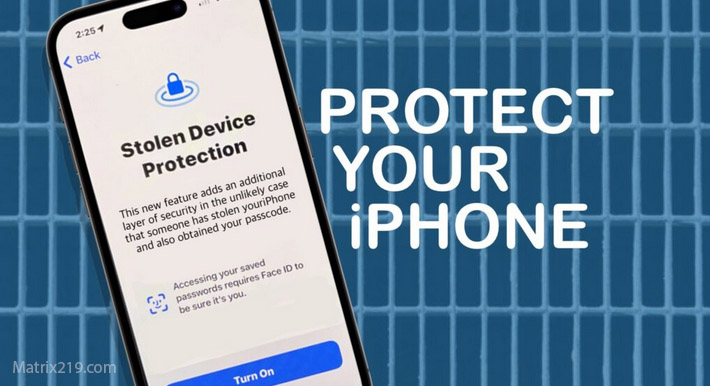
When iPhone users benefit from extra protection
Additional security tools can be useful if:
- You receive many links via messages or email
- You frequently connect to public Wi-Fi
- You manage sensitive personal or work accounts
In these cases, awareness-based protection reduces risk.
When iPhone users benefit from extra protection
When antivirus apps are unnecessary on iPhone
You likely don’t need them if:
- You rely on Safari and Apple’s built-in protections
- You avoid unknown links and attachments
- You use two-factor authentication everywhere
For cautious users, iOS already provides strong baseline security.
Final answer
So, do iPhones need antivirus in 2026? Not in the traditional sense. iOS already blocks classic malware effectively. The real risks come from phishing, credential theft, and user-driven attacks. Antivirus-style apps on iPhone can help with awareness and prevention—but they are not essential for everyone.
For the full security framework across all devices and platforms, revisit: best free antivirus in 2026
FAQ
Can iPhones get hacked without antivirus?
Yes, mainly through phishing or stolen credentials—not traditional malware.
Does Apple scan apps for malware?
Yes. App Store reviews and code signing reduce risk significantly.
Are iOS security apps misleading?
Only if users expect traditional virus scanning. Their role is prevention, not removal.
Is public Wi-Fi risky for iPhones?
It can be. Network-based protections help reduce tracking and interception risks.
Should business users install security apps on iPhone?
Often yes, especially when handling sensitive accounts or work data.