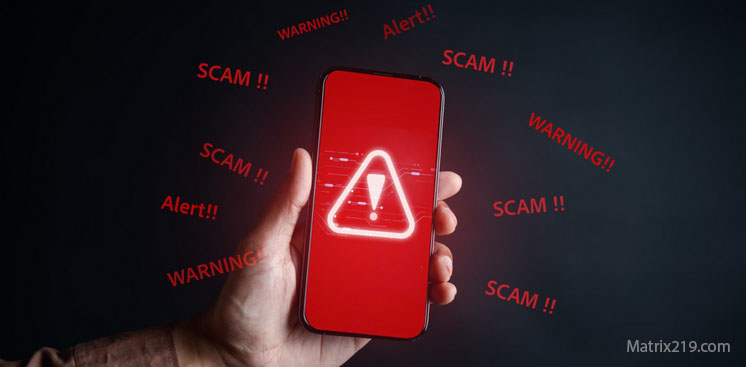
Fake Apps and Malicious Downloads are a growing fraud vector in 2026, especially on mobile devices. Scammers increasingly disguise malware and spyware as useful tools—security apps, utilities, productivity tools, or trending services—to trick users into installing the threat themselves.
Unlike phishing links that rely on a single click, fake apps persist. Once installed, they can harvest data, inject ads, steal credentials, or redirect payments quietly over time.
This article explains how fake apps operate, where they appear, and how to detect them before installation turns into long-term compromise.
Why Fake Apps Are So Effective
Fake apps exploit trust in platforms.
App stores, download portals, and “recommended tools” feel safe by default. Scammers abuse this trust by copying names, icons, and descriptions of legitimate apps, relying on users to skim rather than verify.
Installation feels intentional—so suspicion drops.
Common Types of Fake and Malicious Apps
Most malicious apps fall into repeatable categories.
These include fake antivirus tools, flashlight or utility apps with excessive permissions, crypto wallet clones, fake trading platforms, modded games, cracked software, and “helper” apps for popular services.
The function sounds reasonable. The behavior is not.
How Fake Apps Reach Users
Distribution is strategic.
Scammers use search ads, SEO abuse, social media links, fake reviews, QR codes, and impersonation messages to drive installs. Some apps appear briefly in official app stores before being removed—after enough victims install them.
Discovery windows are short by design.
Permission Abuse as the Real Threat
Many fake apps do not need advanced exploits.
They rely on permission abuse. Accessibility access, notification access, device admin privileges, and overlay permissions allow extensive monitoring and control without triggering alarms.
Users grant access willingly—thinking it’s required.
Fake App Reviews and Ratings
Social proof is manufactured.
Scammers flood listings with fake reviews, inflated ratings, and generic praise. Early users see apparent popularity and assume legitimacy.
Popularity is staged—not earned.
Clone Apps and Brand Impersonation
Some fake apps are direct clones.
They copy the name, icon, and description of real apps, differing only in subtle spelling or developer identity. On small screens, these differences are easy to miss.
Brand familiarity becomes the trap.
What Fake Apps Typically Do After Installation
Behavior varies by objective.
Common actions include:
-
Displaying intrusive ads
-
Redirecting payments or subscriptions
-
Harvesting credentials or clipboard data
-
Installing additional payloads
-
Acting as spyware or adware
Damage often unfolds gradually.
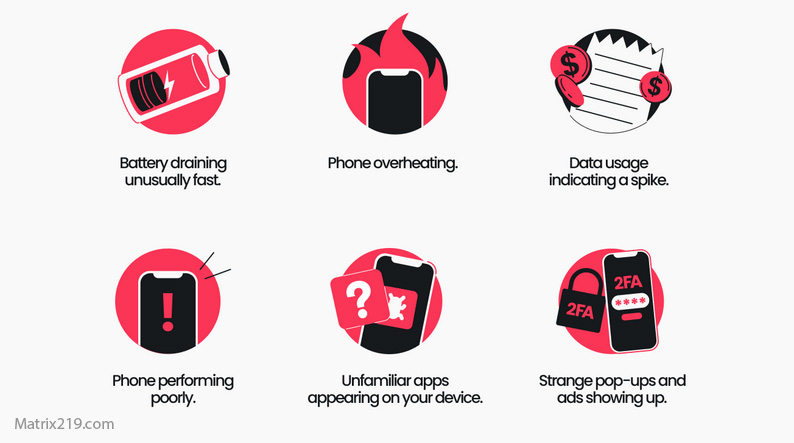
Can a hacked phone be trusted again
How to Evaluate Apps Before Installing
Pre-installation checks reduce risk dramatically.
Key habits include:
-
Checking the developer name and history
-
Reviewing permission requests critically
-
Avoiding apps pushed through ads or messages
-
Searching for independent reviews
-
Installing only when the app is truly necessary
If an app demands excessive access, stop.
What To Do If You Installed a Suspicious App
If an app feels wrong:
-
Remove it immediately
-
Review permissions and revoke access
-
Change passwords for accounts used on the device
-
Run system security checks
-
Monitor for unusual behavior
Persistence favors the attacker. Speed favors you.
Why Fake Apps Lead to Follow-Up Scams
Malicious apps often act as footholds.
Stolen data enables phishing, impersonation, account takeover, and payment fraud. One install can cascade into multiple scam attempts.
Initial compromise multiplies risk.
Fake Apps in the Bigger Fraud Ecosystem
Fake apps intersect with phishing, payment scams, QR scams, and account takeover.
Understanding them closes one of the most persistent entry points for long-term fraud.
For the full fraud framework this article supports, see: Online Scams & Digital Fraud: How to Spot, Avoid, and Recover (2026 Guide)
FAQ
Can fake apps appear in official app stores?
Yes, usually briefly before removal.
Are free apps more dangerous than paid ones?
Not inherently, but fake free apps are common.
Do fake apps always steal data?
Not always—some monetize through ads or redirection.
Are permission requests a reliable warning sign?
Yes, especially when unrelated to app function.
Should I install apps recommended via messages?
No. Install only through independent search and verification.