The comparison free antivirus vs Windows Defender in 2026 is one of the most practical security questions Windows users ask today. Microsoft’s built-in protection has improved significantly, and for many users it’s already enabled by default. That leads to a fair question: why install anything else at all?
At the same time, free third-party antivirus tools still exist—and millions of users rely on them daily. Some claim they offer better detection, others say they only add clutter and slowdowns. The reality isn’t black and white. In 2026, the difference between Windows Defender and free antivirus tools comes down to coverage gaps, reaction speed, and user behavior, not marketing claims.
This article breaks down how Windows Defender actually performs today, what free antivirus software adds (or doesn’t), and how to decide which setup fits your real-world usage.
Quick Navigation
What Windows Defender is in 2026
Windows Defender (now part of Windows Security) provides:
-
Real-time malware protection
-
Cloud-based threat intelligence
-
Built-in firewall integration
-
Exploit and ransomware safeguards (basic)
It’s tightly integrated into Windows, updated automatically, and designed to run with minimal user intervention.
For the full protection landscape:
best free antivirus in 2026
Where Windows Defender performs well
In everyday use, Windows Defender is strong at:
-
Blocking known malware
-
Handling common exploits
-
Maintaining system stability
-
Running quietly in the background
For users with cautious browsing habits, Defender alone already blocks a large portion of everyday threats.
Where Windows Defender still falls short
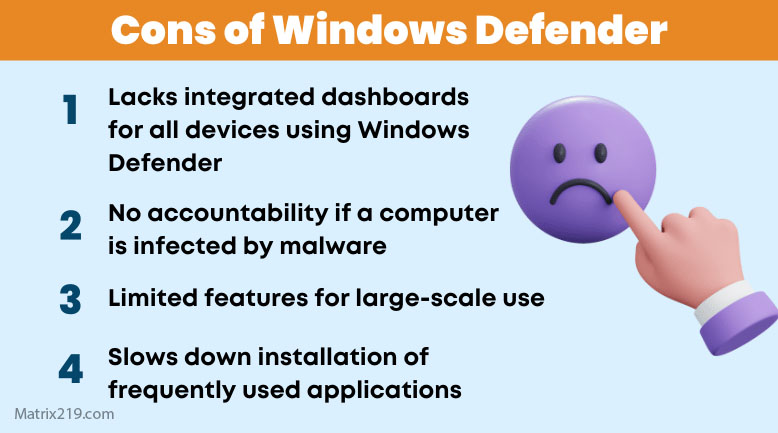
Despite improvements, Defender has limitations:
-
Slower reaction to emerging malware campaigns
-
Basic phishing and malicious link detection
-
Limited visibility into user-level behavior
-
Fewer customization options for alerts and scans
These gaps matter most for users who download software frequently or deal with many external files.
What free antivirus software adds
Reputable free antivirus tools often provide:
-
Faster cloud-driven threat response
-
Stronger phishing and URL detection
-
More detailed alerts and logs
-
Extra monitoring of downloads and installers
They focus less on system integrity and more on user-driven risk.
Detection vs convenience
One key difference is philosophy:
-
Windows Defender prioritizes stability and minimal disruption
-
Free antivirus tools prioritize visibility and early warnings
Defender may block threats quietly. Free antivirus tools are more likely to tell you why something was blocked.
Performance comparison in real use
In 2026:
-
Windows Defender is lightweight and consistent
-
Some free antivirus tools are equally light
-
Others introduce pop-ups, ads, or background services
Performance differences depend more on which free antivirus you choose than on the fact that it’s third-party.
For performance-sensitive systems:
Best Free Antivirus for PC (Low-End Devices)
Can you run both together?
In most cases:
-
Windows automatically reduces Defender’s role when another antivirus is installed
-
Running two full antivirus engines at once is not recommended
The safest setup is one main antivirus engine, not multiple overlapping tools.
Security coverage vs false confidence
A common mistake is assuming:
-
“Defender is enabled, so I’m safe”
-
“Free antivirus is installed, so nothing can happen”
Both tools reduce risk—but neither eliminates it. Phishing, fake downloads, and user mistakes still bypass defenses.
For that broader question:
Do You Still Need Antivirus on Windows in 2026?
Privacy and data handling differences
Both approaches collect data:
-
Windows Defender sends telemetry to Microsoft
-
Free antivirus tools send anonymized threat data to vendors
The real difference is transparency and user control. Some free tools explain this better than built-in protection.
For monetization context:
How Free Antivirus Makes Money
When Windows Defender alone is enough
Defender may be sufficient if:
-
You rarely download third-party software
-
You avoid unknown links and attachments
-
You keep Windows fully updated
-
You prefer a “set and forget” setup
For many casual users, this is a reasonable baseline.
When free antivirus makes more sense
A free antivirus tool can add value if:
-
You download tools, mods, or installers often
-
You manage files from multiple sources
-
You want stronger phishing protection
-
You prefer clearer alerts and warnings
Here, extra visibility reduces the chance of mistakes.
Final verdict
In 2026, Windows Defender is good—but not complete. It offers strong baseline protection with excellent stability. Free antivirus software adds extra layers focused on user behavior, phishing, and fast-moving threats. The better choice depends less on detection charts and more on how you use your PC.
For a complete breakdown of safe free options and when they outperform built-in protection, return to:
best free antivirus in 2026
FAQ
Is Windows Defender as good as free antivirus?
It’s close for basic threats, but free antivirus often adds better phishing and download protection.
Can free antivirus replace Windows Defender?
Yes. Windows adjusts automatically when a third-party antivirus is installed.
Does Windows Defender slow down PCs?
Generally no. It’s designed to be lightweight and stable.
Is it safer to use both together?
No. One main antivirus engine is safer than overlapping protection.
Which option is better for non-technical users?
Windows Defender is simpler. Free antivirus helps more if users download files often.