How to Check Your Phone for Spyware is a question many users ask only after something feels wrong. Unfortunately, spyware is designed to avoid obvious detection, which makes random checks or single “scan” apps unreliable.
Effective detection requires a structured, methodical approach. Instead of guessing or panicking, users need to verify system access points, permissions, and configurations that spyware commonly abuses.
This guide provides a practical, step-by-step process to check a phone for spyware on both major platforms, focusing on actions that actually surface real threats.
Step 1: Review Installed Apps Carefully
Start by reviewing all installed apps, including system and utility apps. Look for unfamiliar names, generic icons, or apps you do not remember installing.
Pay attention to apps without clear descriptions or with misleading names. Spyware often hides behind neutral labels to avoid attention.
If an app cannot be verified or justified, it deserves deeper inspection.
Step 2: Audit High-Risk Permissions
Review permissions for accessibility services, device admin access, notification access, microphone, camera, and location.
Focus on which apps have these permissions and why. Legitimate apps usually have a clear, ongoing need. Spyware relies on combinations of high-risk permissions rather than one alone.
Revoking unnecessary permissions is both a detection and prevention step.
Step 3: Check Device Administrator and Profiles
Review device administrator apps and configuration profiles. These features grant deep system control and are commonly abused by surveillance tools.
If you find admin apps or profiles you do not recognize, investigate immediately. Legitimate admin tools should be clearly identified and intentionally installed.
This step is often skipped, yet it is one of the most revealing.
Step 4: Inspect Accessibility and Special Access Settings
Accessibility settings deserve special attention. Spyware frequently abuses these features to monitor screen activity and keystrokes.
Any non-assistive app with accessibility access should raise concern. This includes apps that claim optimization, automation, or monitoring functions.
Remove access unless the app’s purpose is fully understood and necessary.
Step 5: Monitor Data Usage Patterns
Review mobile and Wi-Fi data usage by app. Look for consistent background data consumption from apps you do not actively use.
Spyware often transmits data quietly over time. Sudden spikes or steady background usage without explanation are meaningful signals when combined with other findings.
Data usage alone is not proof, but it supports pattern recognition.
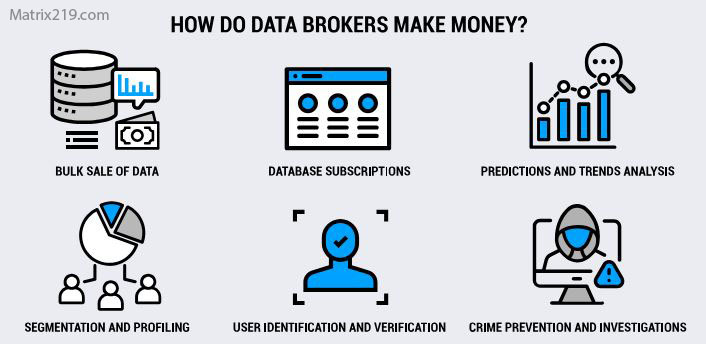
Data Brokers and Aggregators
Step 6: Review Account Security and Sync Activity
Sometimes surveillance occurs through account compromise rather than device-level spyware. Review account login activity, connected devices, and sync settings.
Unexpected logins, unfamiliar devices, or unusual sync behavior may indicate monitoring without local spyware installation.
Account audits are essential and often overlooked.
Step 7: Check System Updates and Integrity
Ensure the operating system is up to date. Delayed updates increase vulnerability and complicate detection.
If the device behaves inconsistently after updates or shows signs of restricted update access, further investigation may be needed.
Outdated systems are easier targets for persistent surveillance.
Step 8: Use Security Tools Carefully
Security apps can help surface known threats, but they are not definitive. Avoid installing multiple scanners, which can create noise and confusion.
Use reputable tools as supporting evidence, not final proof. Manual checks remain more reliable for detecting permission abuse and configuration manipulation.
When a Factory Reset Is Appropriate
If multiple red flags appear and cannot be resolved, a factory reset may be justified. However, resets must be done carefully.
Restoring compromised backups or re-installing suspicious apps defeats the purpose. Reset decisions should be deliberate, not impulsive.
What Detection Cannot Guarantee
No method guarantees detection of advanced or system-level spyware. The goal is risk reduction and early discovery, not absolute certainty.
Structured checks dramatically reduce exposure and catch the majority of real-world surveillance threats.
FAQ
Can spyware hide from all detection steps?
Advanced spyware may, but most consumer threats cannot.
Should I reset my phone immediately if suspicious?
Only after structured checks confirm multiple risks.
Are antivirus apps enough?
No. They are support tools, not complete solutions.
How often should I check my phone?
Periodically, especially after installing new apps.
Is detection easier on Android or iPhone?
Android offers more visibility; iPhone offers stronger defaults.