Spyware permissions explained starts with an important distinction: a sensitive permission is not automatically a sign of spyware. Modern phones use permission systems to control access to information and device features, but a legitimate permission can become a privacy risk when it is granted to an inappropriate application or used without a clear reason.
Spyware and other unwanted monitoring tools may abuse legitimate capabilities such as accessibility access, location, microphone, camera, notifications, files, or account access. However, the meaning of a permission depends on the application, the operating system, the user’s intent, and how the access is being used.
This guide explains which phone permissions deserve closer attention, what they actually allow, and how to audit them on Android and iPhone without treating every permission request as proof of spyware.
Quick Navigation
Why Permissions Matter When Checking for Spyware
Permissions determine which information or device capabilities an application can access. They can control access to sensitive data such as location, photos, contacts, microphone, camera, notifications, and files.
This makes permissions an important part of a spyware investigation. Instead of asking only which application looks suspicious, ask what information each application can access and whether that access makes sense for its purpose.
A navigation application may reasonably need location access. A messaging application may reasonably need microphone or camera access. An unrelated utility requesting the same capabilities deserves more scrutiny.
The key is context, not simply the existence of a permission.
- For a complete detection process, see How to Check Your Phone for Spyware.
Accessibility Access
Accessibility services can provide powerful capabilities on Android devices. Depending on how they are used, an application with accessibility access may be able to read information displayed on the screen and interact with other applications on the user’s behalf.
These capabilities have legitimate purposes. Accessibility services are essential for users with disabilities, and some automation or specialized applications may have legitimate reasons to use them.
The risk appears when an unfamiliar or untrusted application requests accessibility access without a clear reason.
Do not treat accessibility access alone as proof of spyware. Instead, check which application has the access, why it needs it, and whether you intentionally enabled it.
Device Administrator and Device Management Access
Some Android devices support device-administrator capabilities that can give applications additional control over device functions. Separately, both Android and iPhone can be managed through legitimate enterprise or organizational systems.
These capabilities are not inherently malicious. Employers, schools, security applications, and other legitimate services may use device management for valid reasons.
However, an unfamiliar administrator, management service, or configuration profile deserves investigation, particularly when you did not intentionally authorize it.
On iPhone, configuration profiles and device management can be reviewed under Settings > General > VPN & Device Management. Do not remove a legitimate organization-managed profile without understanding what it controls.
Microphone and Camera Access
Microphone and camera permissions provide access to highly sensitive device capabilities. Applications may legitimately need them for calls, photography, video recording, accessibility, or other functions.
The important question is whether the application has a legitimate reason to use the capability and whether the access is occurring when expected.
On Android, permission controls allow users to review and change camera and microphone access. On supported versions, Android also provides privacy controls for disabling camera or microphone access at the device level.
On iPhone, camera and microphone access can be reviewed under Settings > Privacy & Security.
Unexpected access can be a useful clue, but it should be investigated alongside other evidence rather than treated as automatic proof of spyware.
Location Access
Location information can reveal where a person lives, works, travels, and spends time. For that reason, it is one of the most sensitive permissions on a mobile device.
Android allows supported applications to request different levels of location access, including access while the application is being used and, where permitted, access at other times.
On iPhone, Location Services can be reviewed through Settings > Privacy & Security > Location Services.
An application requesting continuous location access should have a clear reason for doing so. If its purpose does not require location, consider reducing or removing the permission.
- Location tracking is also an important part of the broader Mobile Privacy & Spyware Detection topic.
Photos, Videos, and File Access
Access to photos, videos, documents, and other files can expose highly personal information. However, the exact permissions and storage model differ between Android versions and iPhone.
Modern Android versions provide more granular controls for files, photos, and videos than older versions. On iPhone, users can review which applications have access to photos and other categories of personal information through Settings > Privacy & Security.
When reviewing file or photo access, ask whether the application actually needs access to the information it can reach.
SMS, Phone, and Call Log Access
Access to SMS, phone functions, and call-related information can expose sensitive communications and account-recovery information.
Android treats some permissions involving SMS and call logs as sensitive and subject to additional restrictions for applications distributed through Google Play.
This does not mean that every application requesting phone or communication-related access is malicious. Some applications have legitimate reasons to provide calling, messaging, accessibility, or communication features.
The important question is whether the application genuinely needs the requested access and whether the source and purpose of the application are trustworthy.
Notification Access
Notification access can expose information displayed in incoming notifications. Depending on the device and application, notifications may contain message previews, account alerts, reminders, or authentication-related information.
This makes notification access worth reviewing when investigating suspicious applications.
However, notification access is not the same as direct access to the underlying application. An application that can read notifications may see information that appears in them, but this does not automatically give it complete access to the accounts or conversations that generated those notifications.
If an unfamiliar application has notification access without an obvious reason, investigate it and revoke the access when appropriate.
Contacts and Communication Data
Contacts can reveal relationships, phone numbers, email addresses, and other information about people connected to the device owner.
Many legitimate applications request contact access for messaging, calling, social features, or account discovery. The presence of contact permission therefore does not indicate spyware by itself.
A better approach is to compare the application’s purpose with the information it requests. If a simple utility has no clear reason to access an entire contact list, consider denying or revoking that access.
Permissions That Deserve the Most Attention
There is no universal list of “spyware permissions” because the risk depends on the device, operating system, application, and threat model. However, the following access categories deserve closer review when an unfamiliar or suspicious application has them:
- Accessibility or other high-level device access
- Microphone access
- Camera access
- Location access, especially continuous access
- Photos and sensitive file access
- SMS and call-related permissions
- Notification access
- Device administrator or device-management access
- Other special access that can significantly increase an application’s capabilities
The combination of sensitive access with an unexplained application is more meaningful than any individual permission by itself.
How to Audit Permissions on Android
Android provides several built-in tools for reviewing permissions and privacy activity.
Use the Privacy Dashboard
On supported versions of Android, open Settings > Security and Privacy or Privacy, then open Privacy Dashboard.
The Privacy Dashboard can show which applications accessed certain permissions and when that access occurred. This makes it useful for identifying unexpected access patterns.
Review Individual App Permissions
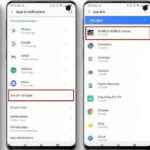
You can also review permissions application by application through Settings > Apps > [App] > Permissions, although the exact menu names vary by device manufacturer and Android version.
Check for Restricted Settings
Be especially careful when an application asks you to enable restricted settings without a clear reason. Only enable powerful access when you understand what it does and trust the application.
- If you want a broader phone-security review beyond permissions, see Mobile Device Security.
How to Audit Permissions on iPhone
On iPhone, open Settings > Privacy & Security and review categories such as Location Services, Contacts, Photos, Microphone, Camera, Bluetooth, Local Network, and other available privacy controls.
Apple provides controls that allow users to see which applications have requested access to different types of information and to revoke that access.
Use App Privacy Report
On supported iPhones, App Privacy Report can provide additional information about how applications use granted permissions and their network activity. This can help identify applications accessing information or communicating with network destinations in ways you did not expect.
Use Safety Check When Personal Access Is a Concern
If you are concerned that another person has access to your information, Apple’s Safety Check can help review sharing, connected devices, and certain account-security settings.
This is particularly useful when the concern involves another person rather than a conventional malicious application.
Permissions Do Not Prove That Spyware Is Installed
One of the most important points when investigating spyware is that a permission is evidence of access, not proof of malicious intent.
A camera permission can belong to a camera application. Microphone access can belong to a calling application. Location access can belong to navigation software. Accessibility can be essential to a person with a disability.
The stronger warning pattern is an application that is unfamiliar or untrusted, requests unusually powerful access, has no convincing reason for that access, and is associated with other unexplained security or privacy indicators.
When Multiple Permissions Become More Concerning
Combinations of sensitive permissions can justify closer investigation, but there is no universal combination that proves spyware.
For example, an unfamiliar application that has accessibility access, notification access, location access, and extensive file permissions deserves more attention than a trusted application with one permission that clearly matches its purpose.
Pattern recognition is therefore more useful than creating a rigid checklist in which one permission automatically means infection.
How to Reduce Permission Abuse
- Grant sensitive permissions only when they are necessary.
- Prefer more restrictive permission options when appropriate.
- Review permissions after installing unfamiliar applications.
- Remove applications you no longer need.
- Investigate applications requesting powerful access without a clear explanation.
- Review Android Privacy Dashboard or iPhone privacy controls periodically.
- Keep the operating system and applications updated.
- Install applications from trusted sources.
What to Do If You Find Suspicious Permissions
Do not immediately assume that every unfamiliar permission means spyware. First identify the application, verify its source and purpose, and determine whether the device is legitimately managed by another person or organization.
If you find an unfamiliar application with powerful permissions and other indicators suggest unauthorized monitoring, document what you found before making major changes when it is safe to do so.
- For the complete removal process, see Spyware Removal: What to Do If Your Phone Is Already Compromised.
- If the issue appears to involve compromised online accounts rather than device spyware, see Account Security and Recovery.
FAQ
Are all sensitive permission requests dangerous?
No. Sensitive permissions are often required by legitimate applications. The important questions are what the application does, why it needs the permission, whether you trust it, and whether its behavior matches its stated purpose.
Is accessibility access always a sign of spyware?
No. Accessibility services are legitimate and important technologies. However, because they can provide powerful capabilities, an unfamiliar application requesting accessibility access without a clear reason deserves investigation.
Can a legitimate app request too many permissions?
Yes. An application can request more access than it actually needs. That does not automatically make it spyware, but unnecessary access is a valid privacy concern and can often be reduced through permission settings.
How often should I review phone permissions?
There is no mandatory schedule. A periodic review is useful, especially after installing new applications, granting sensitive permissions, noticing unexpected behavior, or changing important accounts.
Can revoking a permission break an application?
Yes. Some applications depend on specific permissions for core features. If an application stops working after a permission is revoked, decide whether the feature is worth the access or whether an alternative application would provide a better privacy trade-off.
Can spyware work without dangerous permissions?
Potentially, yes. Mobile surveillance can involve compromised accounts, device-management settings, malicious applications, software vulnerabilities, or other access mechanisms. That is why permission auditing should be one part of a broader phone-security investigation.
What should I do if I find an unfamiliar app with powerful permissions?
First identify the application and verify its source and purpose. Review its permissions and consider whether the device is legitimately managed by an employer, school, or another authorized organization. If you have credible evidence of surveillance, follow a structured response process rather than making sudden changes without considering the consequences.