
If your Android phone is hacked, the recovery path depends on how Android works—its permissions, Google account integration, and device-level controls. Android’s flexibility is powerful, but it also means attackers often rely on permission abuse and account access rather than dramatic system exploits.
This guide gives you a clear, Android-specific response plan. You’ll learn how to confirm compromise, secure your Google account, remove malicious access safely, decide between cleanup and factory reset, and avoid the most common Android recovery mistakes. Follow the order carefully—the sequence matters more than speed.
Quick Navigation
Step 1: Confirm Android-Specific Signs of Compromise
Before acting, identify whether this is device-level or account-level.
Android indicators that matter
-
Accessibility or device admin enabled without consent
-
Unknown apps with network or notification access
-
Battery/data activity from apps you don’t recognize
For detection context, review: Signs your Android phone is hacked
And for the broader framework: If Your Phone Is Hacked: How to Know, What to Do, and How to Stay Safe
Step 2: Isolate the Phone and Pause Risky Activity
Contain first—fix second.
Immediate containment
-
Turn on airplane mode
-
Stop banking, crypto, and work logins
-
Don’t uninstall apps yet
If you’re at the very beginning, follow: What to do immediately if your phone is hacked
Step 3: Secure Your Google Account From a Clean Device
On Android, Google account control is critical.
What to secure
-
Change Google password
-
Force sign-out from all devices
-
Review connected devices and app access
-
Enable two-step verification
If email is Gmail, secure it first: Secure your email after phone hack
For full recovery order, see: If Your Phone Is Hacked: Step-by-Step Recovery Guide (Android & iPhone)
Step 4: Audit and Revoke Dangerous Permissions
This is where many Android threats live.
High-risk permissions to review
-
Accessibility services
-
Device administrator
-
Notification access
-
VPN or special app access
Revoke permissions before uninstalling to avoid trigger behavior.
Deep dive: Unknown apps & permissions explained
Step 5: Remove Suspicious Apps Safely
Now remove access without escalating.
Safe removal sequence
-
Revoke permissions
-
Disable network access (if available)
-
Uninstall the app
-
Reboot and re-check permissions
If access keeps returning, escalate rather than repeating.
Guidance: Remove hacker access safely
Step 6: Decide Between Cleanup and Factory Reset
Resetting is powerful—but conditional.
Cleanup may be enough if:
-
No rooting detected
-
Permissions stay disabled
-
Account access is stable
Factory reset is safer if:
-
Spyware persists
-
Admin/accessibility re-enables
-
You’re unsure how deep it goes
Understand the limits first: Factory reset: when it works & when it doesn’t
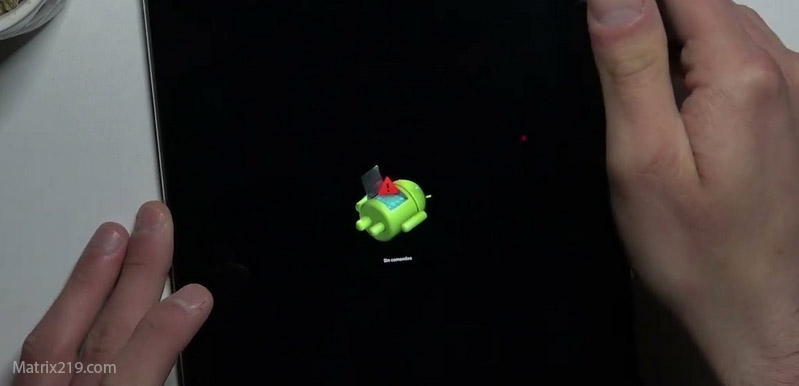
Factory reset when it works & when it doesn’t
Step 7: Restore Carefully After Reset (If Needed)
Restoration can reintroduce problems.
Safer restore practices
-
Avoid full app restores
-
Install apps manually
-
Review permissions app-by-app
-
Monitor for 48–72 hours
If data exfiltration was suspected, review: How to stop data exfiltration
Common Android-Specific Mistakes to Avoid
These cause repeat compromises.
High-risk mistakes
-
Trusting “no threats found” scans alone
-
Restoring everything from Google backup
-
Leaving accessibility enabled “temporarily”
If you’re unsure what to avoid, read: What not to do after phone hacking
When Android Recovery Fails
Sometimes the safest option is escalation.
Escalate if:
-
The phone is rooted and unstable
-
Access returns after resets
-
Google flags suspicious activity repeatedly
At that point, device replacement plus account hardening is often faster and safer.
Android’s security model relies heavily on app sandboxing and permission controls; most real-world compromises exploit user-granted permissions and account sync rather than breaking the operating system itself, which is why permission audits and Google account security are decisive steps in recovery Android security model and threat mitigation overview
Frequently Asked Questions
Can Android phones be hacked without installing apps?
Rarely. Most cases involve permission abuse or account takeover.
Is Play Protect enough?
It helps, but it can’t detect all permission-based spyware.
Should I root my phone to remove spyware?
No. Rooting increases risk during recovery.
How long until I can trust the phone again?
After several days with no alerts or returning permissions.
Is replacing the phone always necessary?
No—but it’s reasonable if recovery fails repeatedly.