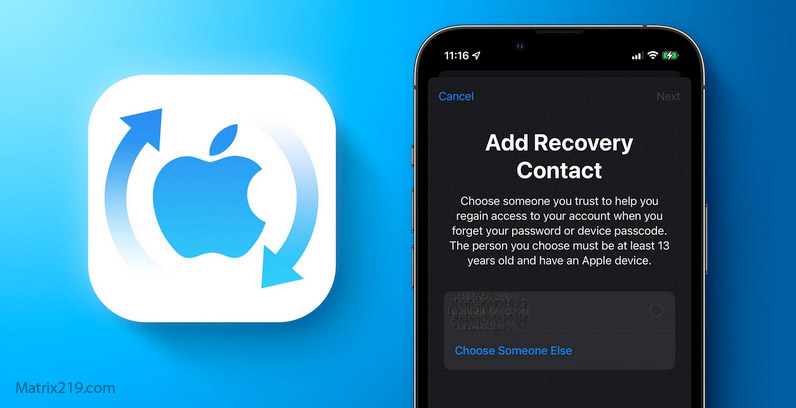
If your iPhone is hacked, the recovery path looks different from Android. iOS is tightly controlled, which reduces system-level malware—but it also means most real compromises happen through accounts, especially your Apple ID, iCloud, and linked devices. Resetting the phone without fixing account access often leads to repeated re-compromise.
This guide provides a clear, iPhone-specific recovery sequence. You’ll learn how to confirm compromise, secure your Apple ID, remove hidden access like configuration profiles and linked devices, decide when a reset is necessary, and restore safely without reintroducing risk. Follow the order carefully—on iPhone, account control is everything.
Quick Navigation
Step 1: Confirm iPhone-Specific Signs of Compromise
Start by distinguishing device issues from account takeover.
iOS indicators that matter
-
Apple ID login alerts you didn’t initiate
-
New trusted devices or locations in Apple ID security
-
Unknown configuration profiles or VPNs
-
Messages or verification codes sent without your action
For detection context, review: Signs your iPhone is hacked And for the broader framework: If Your Phone Is Hacked: How to Know, What to Do, and How to Stay Safe
Step 2: Isolate the iPhone and Pause Sensitive Activity
Contain first—fix second.
Immediate containment
-
Enable airplane mode
-
Stop banking, crypto, and work logins
-
Don’t delete apps or profiles yet
If you’re at the very beginning, follow: What to do immediately if your phone is hacked
Step 3: Secure Your Apple ID From a Clean Device
On iPhone, Apple ID is the control plane.
What to secure immediately
-
Change Apple ID password
-
Force sign-out from all devices
-
Review and remove unknown trusted devices
-
Enable two-factor authentication
-
Check iCloud app access and data sync
If your Apple ID email is compromised, secure it first: Secure your email after phone hack
For the full recovery order see: If Your Phone Is Hacked: Step-by-Step Recovery Guide (Android & iPhone)
Step 4: Review Configuration Profiles, VPNs, and Certificates
This is the most overlooked iOS risk.
Why profiles are dangerous
-
They can route traffic through attacker servers
-
They can install certificates and VPNs
-
They persist across app deletions
What to do
-
Remove any profile you don’t recognize
-
Verify the issuer for work/school profiles
-
Reboot and confirm profiles don’t reappear
If a profile cannot be removed, escalate to a reset after Apple ID is secure.
Step 5: Check Messaging Apps and Linked Devices
Many iPhone compromises persist via apps.
What to review
-
iMessage and FaceTime device lists
-
WhatsApp “Linked Devices”
-
Web sessions you didn’t approve
If messages or codes are being intercepted, fix this before normal use.
Guidance: Remove hacker access safely
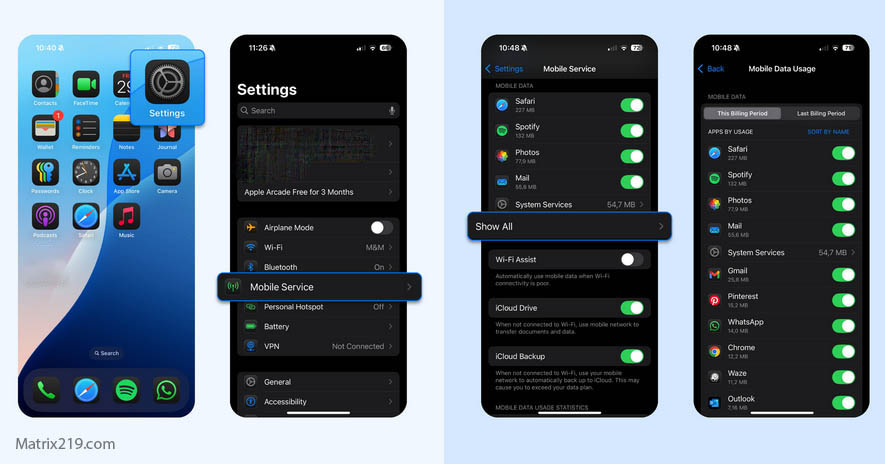
If Your Phone Is Hacked Step-by-Step Recovery Guide iPhone
Step 6: Decide Between Cleanup and Factory Reset
Resetting is effective on iPhone—with conditions.
Cleanup may be enough if:
-
Apple ID access is stable
-
No unknown profiles remain
-
No linked devices return
Reset is safer if:
-
Profiles or VPNs persist
-
You restored from a suspicious backup
-
You’re unsure how deep the compromise went
Know the limits before acting: Factory reset: when it works & when it doesn’t
Step 7: Restore Safely After a Reset (If Needed)
Restoration choices determine success.
Safer restore practices
-
Avoid full app restores initially
-
Install apps manually from the App Store
-
Review permissions and notifications per app
-
Monitor Apple ID security for 72 hours
If data leakage was suspected, review: How to stop data exfiltration
Common iPhone-Specific Mistakes to Avoid
These cause repeat compromise.
High-risk mistakes
-
Resetting before securing Apple ID
-
Trusting old iCloud backups blindly
-
Ignoring linked devices after password changes
If you want a checklist of pitfalls, read: What not to do after phone hacking
When iPhone Recovery Fails
Escalation can be the safest option.
Escalate if:
-
Apple ID keeps re-adding devices
-
Profiles return after reset
-
Apple flags repeated suspicious activity
At that point, Apple support escalation plus device replacement may be the fastest safe path.
Apple’s security model isolates apps strictly and ties device trust to Apple ID and iCloud; most real-world iPhone compromises exploit account access and configuration profiles rather than breaking iOS itself, which is why Apple ID control is the decisive recovery step Apple iOS security and account recovery overview
Frequently Asked Questions
Can iPhones really be hacked like Android phones?
Less often at the system level, but account takeovers affect both.
Does iOS antivirus exist?
No. iOS relies on sandboxing and Apple ID security instead.
Is a factory reset always enough on iPhone?
Often yes—only if Apple ID and backups are clean first.
Are configuration profiles always bad?
No. Work/school profiles are normal; unknown ones are not.
How long before I can trust my iPhone again?
After several days with no alerts or returning access.