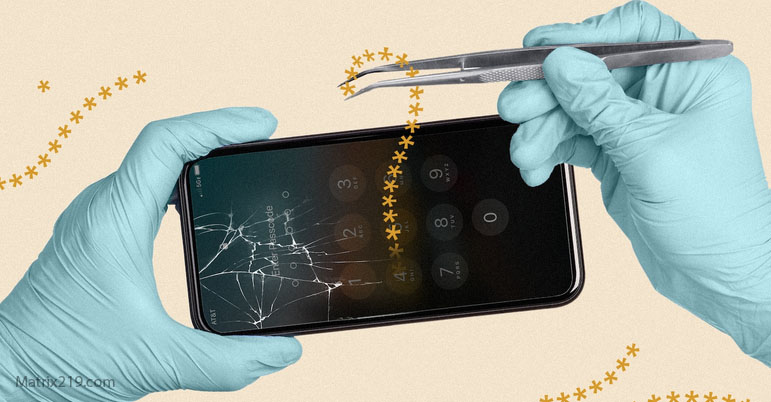
Phone Privacy After Repair or Resale is a frequently overlooked risk area. Many users focus on spyware threats from apps or online attacks, but physical handling of a device by third parties introduces a different class of surveillance risks.
Repair shops, resale preparation, and second-hand devices create opportunities for unauthorized access, account compromise, or hidden monitoring. These risks are often invisible and underestimated because they occur offline.
This article explains what can go wrong during phone repair or resale and how to protect privacy before, during, and after handing over a device.
Why Physical Handling Changes the Threat Model
When a phone leaves your direct control, all software protections become less reliable. Physical access allows changes that are impossible remotely.
During repair or resale, devices may be unlocked, connected to external systems, or handled by unknown individuals. Even short access windows are enough for data extraction or configuration changes.
This shifts risk from remote attack to access abuse.
Common Privacy Risks During Phone Repair
Repair scenarios often require device access. Risks include:
-
Data copying from unlocked devices
-
Installation of monitoring apps
-
Cloud account access if credentials are saved
-
Debugging or diagnostic tools left enabled
Most technicians are not malicious—but privacy depends on process, not trust.
Configuration Changes That Are Hard to Notice
After repair, devices may appear normal while settings have changed. Examples include:
-
Debugging modes left active
-
Developer options enabled
-
New profiles or certificates installed
-
Disabled security features
These changes may not trigger alerts and are rarely checked by users.
Risks of Buying or Selling Used Phones
Second-hand phones may contain:
-
Residual accounts or backups
-
Modified firmware
-
Preinstalled monitoring software
-
Linked cloud services
Even after resets, some devices retain hidden configurations if not wiped correctly.
Used phones should never be trusted blindly.
What to Do Before Repairing Your Phone
Before handing over a device:
-
Back up important data
-
Sign out of cloud accounts
-
Enable full device encryption
-
Power off the device if possible
In high-risk cases, a temporary replacement device may be safer than repair.
Preparation reduces post-repair uncertainty.
What to Do After Getting Your Phone Back
After repair:
-
Review installed apps
-
Check system permissions
-
Verify developer options are disabled
-
Review accounts and login activity
Treat the device as potentially altered until verified.
Safe Practices Before Selling or Giving Away a Phone
Before resale or transfer:
-
Remove all accounts
-
Disable device tracking
-
Perform a full factory reset
-
Avoid restoring backups afterward
Selling a phone without proper cleanup risks exposing long-term personal data.
Why Resets Alone Are Not Enough
Factory resets remove user data but do not always remove firmware changes or malicious configurations.
In sensitive cases, flashing official firmware or using manufacturer-recommended wipe procedures is safer.
Privacy requires certainty—not assumptions.
When to Treat a Device as Untrusted
If a phone:
-
Was repaired without your presence
-
Passed through unknown hands
-
Shows unexplained behavior afterward
It may be safer to restrict sensitive use or replace the device entirely.
Trust should be earned, not assumed.
Physical Access Is Still the Weakest Link
No mobile privacy strategy works if physical access is ignored. Repair and resale scenarios remind users that offline risks matter just as much as online threats.
Understanding access-based risk completes the mobile privacy picture.
For foundational guidance, see: Mobile Privacy & Spyware Detection: How to Protect Your Phone from Surveillance (2026)
FAQ
Can repair shops install spyware?
Technically yes, if they have device access.
Should I avoid phone repair entirely?
No, but preparation and verification are essential.
Is factory reset enough before resale?
Often yes, but not in all cases.
Are second-hand phones risky?
They can be, if not wiped and verified properly.
What is the safest option for sensitive users?
Avoid third-party handling or use temporary devices.