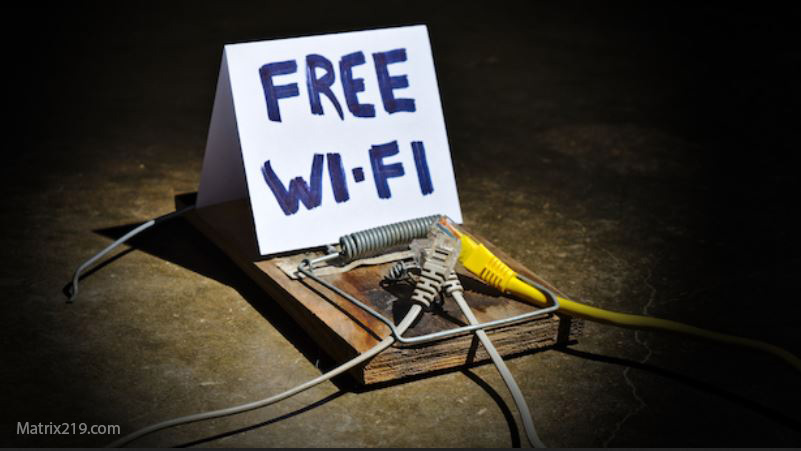
Public Wi-Fi myths cause two opposite mistakes: some people panic and shut everything down, while others connect freely and assume nothing bad can happen. The reality sits in the middle. Public Wi-Fi is not automatically dangerous—but it becomes risky when combined with poor account security, unsafe habits, or false assumptions.
This article breaks down the most common public Wi-Fi myths, explains what attacks are realistic today, and shows how to use public networks without overreacting or under-protecting yourself. The goal is practical prevention based on how attacks actually work now.
Quick Navigation
Myth 1: “Public Wi-Fi Automatically Hacks Your Phone”
This is the most persistent myth.
Reality
Simply connecting to public Wi-Fi does not hack your phone by itself. Modern phones encrypt traffic by default, and most apps use HTTPS or encrypted tunnels.
The real risk
-
Logging into accounts on insecure pages
-
Clicking phishing links while distracted
-
Using apps that trust the network too much
Wi-Fi is usually a multiplier, not the cause.
For the bigger picture, review: If Your Phone Is Hacked: How to Know, What to Do, and How to Stay Safe
Myth 2: “Hackers Can See Everything You Do on Public Wi-Fi”
This belief leads to unnecessary fear.
Reality
Attackers cannot simply “see your screen” through Wi-Fi. Encrypted apps protect content from casual interception.
What attackers can realistically do
-
Redirect you to fake login pages
-
Inject ads or malicious redirects on insecure sites
-
Observe metadata (not content)
Most damage still requires your interaction.
Myth 3: “VPN Makes Public Wi-Fi Completely Safe”
VPNs are helpful—but not magic.
What VPNs actually protect
-
Encrypt traffic between you and the VPN server
-
Reduce risk on untrusted networks
What VPNs do NOT protect
-
Phishing sites
-
Fake apps
-
Account compromise
-
Spyware installed on the phone
VPNs don’t fix human or account-level mistakes.
If permissions or apps are the concern, see: Unknown apps & permissions explained
Myth 4: “Only Tech Experts Get Attacked on Public Wi-Fi”
Attackers prefer simplicity.
Reality
Most attacks target ordinary users, not specialists, because:
-
People reuse passwords
-
Phones auto-open links
-
Verification codes arrive instantly
No expertise is required—only a moment of trust.
For real-world attack methods, see: How phones get hacked in real life
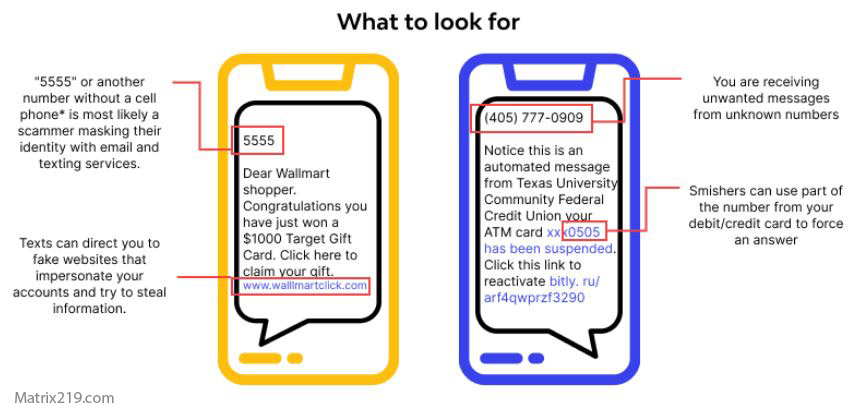
How phones get hacked in real life
Myth 5: “Turning Off Wi-Fi Solves Everything”
This creates false confidence.
Reality
Many compromises happen after you leave Wi-Fi:
-
Account sessions persist
-
Cloud sync restores access
-
Messages and codes are intercepted later
Wi-Fi is rarely the final step in an attack chain.
For recovery logic, review: If Your Phone Is Hacked: Step-by-Step Recovery Guide (Android & iPhone)
What Actually Makes Public Wi-Fi Dangerous
Risk comes from combinations, not connection alone.
High-risk behaviors on public Wi-Fi
-
Logging into email or cloud accounts
-
Accessing banking or crypto apps
-
Clicking “urgent” security messages
-
Installing apps or updates
These actions give attackers leverage if anything goes wrong.
If finance is involved, read: Banking apps after phone hacking
When Public Wi-Fi Is Usually Safe Enough
Context matters.
Lower-risk use cases
-
Browsing news or content
-
Watching videos
-
Using apps that stay logged out
-
Messaging after account security is strong
Risk stays low when no credentials are exchanged.
Practical Rules for Using Public Wi-Fi Safely
These rules actually work.
Smart public Wi-Fi habits
-
Avoid logging into email and cloud accounts
-
Disable auto-join for unknown networks
-
Verify URLs before entering passwords
-
Keep OS and apps updated
-
Prefer mobile data for sensitive actions
If something feels off, disconnect—don’t investigate from the same network.
Android vs iPhone: Public Wi-Fi Reality
Platforms handle risk differently.
Android
-
Greater risk from sideloaded apps
-
Permissions matter more than network
Context: If your Android phone is hacked
iPhone
-
Stronger app isolation
-
Apple ID compromise is the bigger risk
Context: If your iPhone is hacked
The Real Role of Public Wi-Fi in Phone Hacking
It’s an entry point—not the villain.
Public Wi-Fi mainly helps attackers present fake pages, inject redirects, or increase phishing success. The actual compromise almost always happens through credentials, permissions, or accounts—not the network itself.
Independent security research consistently shows that public Wi-Fi risks are primarily tied to phishing and insecure authentication flows rather than passive data interception on modern smartphones Mobile public Wi-Fi threat assessment overview
Frequently Asked Questions
Is it safe to use public Wi-Fi without a VPN?
Yes for low-risk activities like browsing. For logins or sensitive actions, mobile data or a VPN adds protection, but behavior still matters more.
Can public Wi-Fi install spyware on my phone?
No, not by itself. Installation requires you to install an app, accept permissions, or interact with a malicious page.
Should I disable Wi-Fi completely when traveling?
Not necessary. Disable auto-connect and avoid sensitive logins instead. Blanket shutdowns don’t address the real risks.
Are cafes and airports equally risky?
Risk depends more on how you use the network than where you are. Attackers exploit users, not locations.
What’s the biggest public Wi-Fi mistake people make?
Logging into email or cloud accounts quickly without checking URLs—this enables phishing and account takeover.