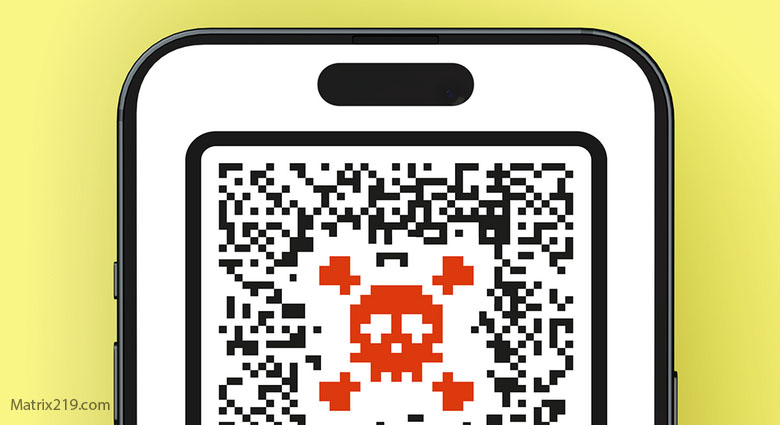
QR Code Scams and Short Links exploit convenience. In 2026, scanning a code or clicking a shortened link feels routine—used for menus, payments, logins, deliveries, and event access. Scammers abuse this normal behavior to redirect victims to fake websites, steal credentials, or trigger unauthorized payments.
The danger is not the QR code itself, but the blind trust placed in what it leads to. This article explains how QR code and short-link scams work, why they bypass suspicion, and how to stay safe without abandoning convenience.
Why QR Codes Are Perfect for Scammers
QR codes hide destinations.
Unlike visible URLs, a QR code reveals nothing until scanned. This removes a critical moment of inspection and hands control to the destination instantly—often on mobile devices with limited visibility.
Opacity is the advantage.
Common Places QR Code Scams Appear
QR scams show up where trust and urgency already exist.
Common locations include restaurant tables, parking meters, public posters, transit stations, delivery notices, emails, invoices, and fake support messages. Scammers replace or overlay legitimate codes with malicious ones.
Physical presence increases credibility.
Short Links as a Companion Scam
Short links amplify the same problem.
They obscure the final destination behind a compact URL, often shared in SMS messages, DMs, emails, or printed materials. Victims cannot assess legitimacy at a glance.
Shortening removes context.
What QR and Short-Link Scams Usually Do
The destination determines the damage.
Common outcomes include:
-
Fake login pages harvesting credentials
-
Payment pages requesting fees or tips
-
Malware or malicious app prompts
-
Subscription traps and consent scams
The scan is the trigger, not the threat.
Why Mobile Users Are More Vulnerable
QR codes are primarily scanned on phones.
Mobile browsers hide full URLs, reduce visual cues, and encourage fast interaction. This environment favors deception and reduces verification opportunities.
Small screens magnify risk.
QR Code Payment Scams
Payment-focused QR scams are increasing.
Fake parking payments, restaurant tips, charity donations, or invoice payments redirect funds to scammer-controlled accounts. Victims believe they paid legitimately until charges appear later.
Payment finality compounds the harm.
How to Check QR Destinations Safely
Safer scanning relies on pause and preview.
Many devices allow URL preview before opening. Look for unexpected domains, misspellings, or unrelated services. Avoid logging in or paying immediately after scanning.
If action is required, navigate manually instead.
Short Link Red Flags That Matter
Short links deserve skepticism when:
-
They arrive unexpectedly
-
They demand urgent action
-
They claim account or payment issues
-
They discourage verification
Convenience should not override caution.
What to Do If You Scanned a Suspicious Code
If you scanned or clicked:
-
Close the page immediately
-
Do not enter information
-
Clear browser sessions if prompted
-
Monitor accounts if data was entered
Early exit limits exposure.
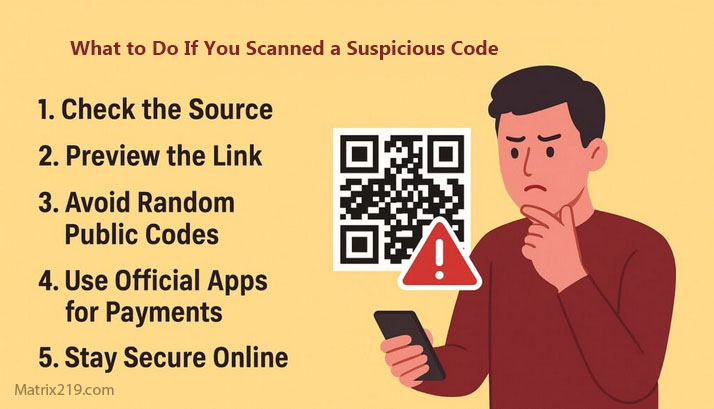
What to Do If You Scanned a Suspicious Code
Preventing QR and Short-Link Scams Long-Term
Effective prevention includes:
-
Avoiding QR codes for logins or payments
-
Using bookmarks for important services
-
Verifying physical codes before scanning
-
Treating unsolicited links as untrusted
Rules reduce reliance on judgment.
QR Codes in the Bigger Fraud Picture
QR scams often support phishing, fake websites, payment fraud, and account takeover.
Understanding them strengthens defenses against multiple scam categories.
For the full fraud framework this article supports, see: Online Scams & Digital Fraud: How to Spot, Avoid, and Recover (2026 Guide)
FAQ
Are all QR codes dangerous?
No, but their destinations must be verified.
Can QR codes install malware directly?
Usually no, but they can lead to malicious pages.
Are short links always scams?
No, but they remove visibility and increase risk.
Is scanning QR codes in public unsafe?
It can be, especially if the source is unverified.
What’s the safest alternative?
Navigate manually using trusted bookmarks.