
Remove hacker access safely is where many recoveries succeed—or fail. People rush to delete apps, revoke permissions, or reset devices, only to discover the attacker still has access through accounts, backups, or hidden sessions. The goal isn’t speed; it’s precision. You want to cut access once, not trigger a loop of re-compromise.
This guide walks you through a safe, ordered approach to removing hacker access from your phone and connected accounts. You’ll learn what to revoke first, what to leave alone until later, and how to confirm access is actually gone before moving on.
Quick Navigation
Start With Accounts, Not the Device
Attackers usually persist through accounts—not apps.
Why accounts come first
-
Active sessions exist outside the phone
-
Password resets can reopen access
-
Cloud sync can restore changes
For the full incident context, review: If Your Phone Is Hacked: How to Know, What to Do, and How to Stay Safe
What to revoke immediately (from a clean device)
-
Email sessions and app passwords
-
Apple ID / Google account sessions
-
Third-party app access you don’t recognize
If you haven’t stabilized the situation yet, follow: What to do immediately if your phone is hacked
Revoke Sessions and Tokens the Right Way
Changing a password alone is not enough.
Where attackers often stay logged in
-
“Trusted devices” lists
-
OAuth / third-party app connections
-
Old sessions not invalidated by password change
After password updates, force sign-out everywhere and remove unknown devices.
A structured recovery order is explained here: If Your Phone Is Hacked: Step-by-Step Recovery Guide (Android & iPhone)
Remove App-Level Access Without Alerting the Attacker
Deleting apps too early can backfire.
Safer approach to app cleanup
-
Review permissions first
-
Disable network access where possible
-
Remove high-risk permissions before uninstalling
This limits retaliation behaviors some spyware triggers when removed abruptly.
If you’re dealing with suspicious apps, see: Unknown apps & permissions explained
Android vs iPhone: Cutting Off Access Correctly
Platform differences matter here.
On Android devices
-
Revoke accessibility and device admin access first
-
Check for apps without icons or with generic names
Related detection context: Signs your Android phone is hacked
On iPhones
-
Remove unknown configuration profiles
-
Review Apple ID trusted devices and iCloud access
Related detection context: Signs your iPhone is hacked
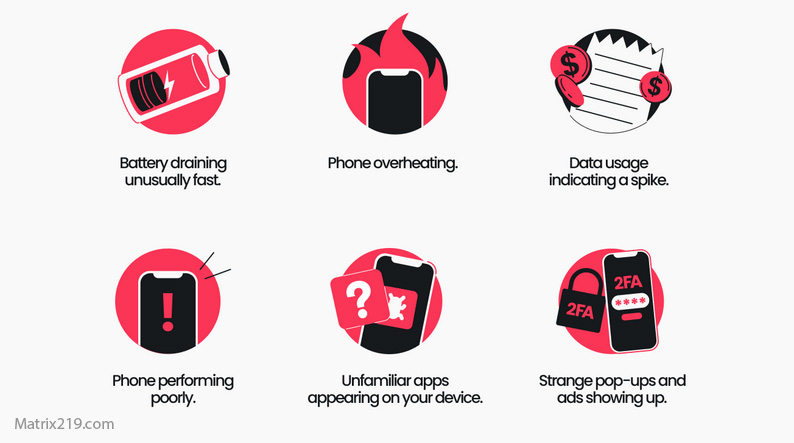
Can a hacked phone be trusted again
Confirming Hacker Access Is Actually Gone
Assume nothing—verify everything.
Signs access has been removed
-
No new login alerts
-
Permissions stay disabled
-
No background data from unknown apps
Warning signs access still exists
-
Settings re-enable themselves
-
Accounts log in after password changes
-
Alerts continue from new locations
If access persists, escalate instead of repeating the same steps.
When Safe Removal Requires a Reset
Sometimes removal isn’t enough.
Reset becomes necessary when:
-
Spyware re-installs itself
-
Permissions cannot be revoked
-
The device was rooted or jailbroken
Before resetting, confirm you understand the limits: Factory reset: when it works & when it doesn’t
The Most Common Mistakes During Access Removal
Avoiding these saves time and damage.
High-risk mistakes
-
Resetting before securing accounts
-
Restoring old backups blindly
-
Logging back in too early on the same device
If you already made one of these mistakes, stop and re-secure accounts before continuing.
Security response best practices emphasize revoking sessions, tokens, and third-party access before device cleanup, because most attackers rely on account persistence rather than continuous device control Guidance on revoking account access after compromise
Frequently Asked Questions
Is deleting suspicious apps enough to remove access?
No. Account sessions often keep attackers connected.
Should I remove permissions or uninstall first?
Permissions first—then uninstall.
Can hackers regain access after I change passwords?
Yes, if sessions or app tokens remain active.
How long should I wait before trusting the phone again?
After several days with no alerts or re-enabled access.
What if access keeps coming back?
Escalate to full recovery or device replacement.