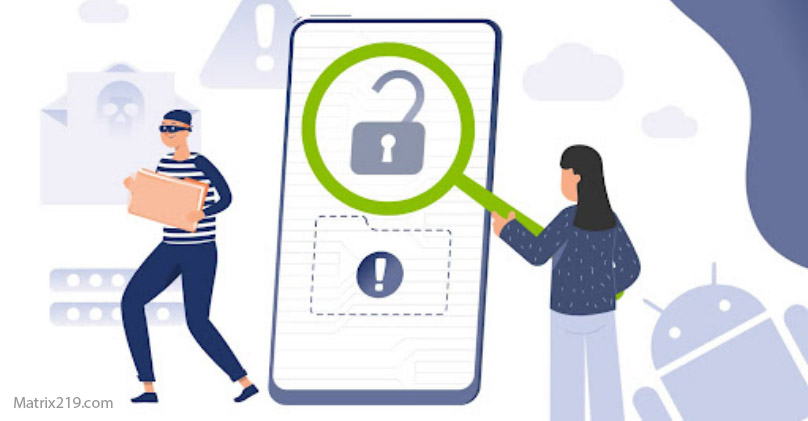
Remove spyware manually is often necessary when automated tools fail or give false reassurance. Many modern spying apps don’t look malicious, don’t trigger antivirus alerts, and rely on legitimate permissions to stay hidden. That’s why manual inspection—done carefully and in the right order—remains one of the most reliable ways to eliminate monitoring apps without causing re-compromise.
This guide shows how to find spyware by hand, what to check first, how to revoke access safely, and when manual removal is enough versus when escalation is required. Precision matters more than speed here.
Quick Navigation
Understand What “Spyware” Looks Like on Phones
Spyware rarely announces itself.
Common forms of mobile spyware
-
Apps disguised as system services
-
Monitoring tools using accessibility or notification access
-
Configuration profiles or VPN-based routing
-
Apps without icons or with generic names
Before removing anything, confirm the behavior pattern, not just the app name.
For the detection framework, review: If Your Phone Is Hacked: How to Know, What to Do, and How to Stay Safe
Step 1: Secure Accounts Before Touching the Device
Manual removal fails if attackers persist through accounts.
What to secure first (from a clean device)
-
Email account
-
Apple ID or Google account
-
Messaging accounts with cloud sync
If you haven’t stabilized yet, start here: What to do immediately if your phone is hacked
And follow the ordered recovery: If Your Phone Is Hacked: Step-by-Step Recovery Guide (Android & iPhone)
Step 2: Identify High-Risk Permissions
Spyware survives on permissions—not exploits.
Permissions to audit carefully
-
Accessibility services
-
Device administrator
-
Notification access
-
VPN and special app access
Any app holding these without a clear purpose is a candidate for removal.
Deep dive: Unknown apps & permissions explained
Step 3: Find Hidden or Suspicious Apps
Visibility is the first win.
Where spyware hides
-
App lists sorted by permissions (not name)
-
Apps without icons or with system-like names
-
Recently installed apps you don’t recall
On Android, check “Special app access.” On iPhone, check Profiles & Device Management.
Platform-specific help:
Step 4: Revoke Access Before Uninstalling
This step prevents retaliation or persistence.
Safe removal sequence
-
Disable network access (if possible)
-
Revoke high-risk permissions
-
Remove device admin / profiles
-
Uninstall the app
-
Reboot and re-check permissions
If permissions re-enable themselves, stop and escalate.
For safe sequencing, see: Remove hacker access safely
Step 5: Check Messaging, Linked Devices, and Sync
Spyware often isn’t the only access path.
What to review
-
Linked devices in messaging apps
-
Cloud sync and backups
-
Browser sessions and extensions
If these remain open, spyware removal alone won’t hold.
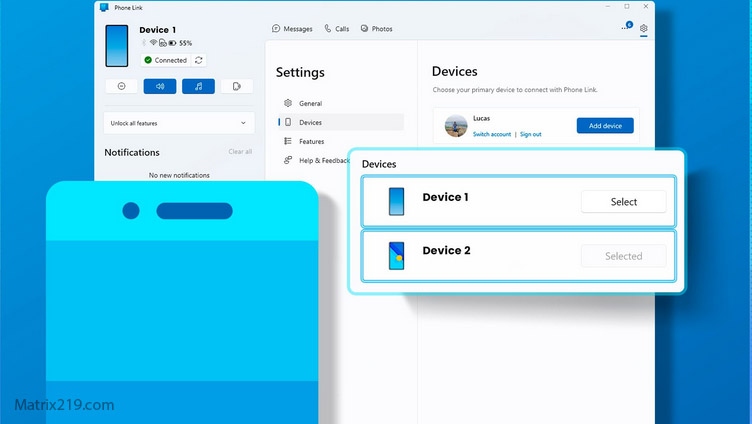
Check Linked Devices and Sync
When Manual Removal Is Enough—and When It’s Not
Be honest about risk.
Manual removal may be enough if:
-
No root/jailbreak exists
-
Permissions stay disabled
-
No account alerts reappear
Escalate if:
-
Apps reinstall themselves
-
Behavior returns after reboot
-
Root or jailbreak is suspected
At that point, reset or replacement becomes safer.
Guidance: Factory reset: when it works & when it doesn’t
After Removal: How to Confirm Spyware Is Gone
Verification prevents false confidence.
Positive signs
-
Permissions remain disabled
-
No unexplained background activity
-
No new account alerts
Warning signs
-
Settings revert
-
Network activity resumes while idle
-
Linked devices reappear
If warning signs persist, pause and reassess before normal use.
Independent security research shows that most mobile spyware relies on permission abuse and account persistence rather than zero-day exploits, which is why manual permission audits and session revocation are often more effective than scans Mobile spyware persistence and permission abuse overview
Frequently Asked Questions
Can spyware be removed without factory reset?
Yes, in many cases. If the spyware relies on permissions and accounts are secured first, manual removal can fully eliminate access without resetting the phone.
Why uninstalling first is a bad idea?
Some spyware reacts to removal by escalating permissions or reinstalling itself. Revoking access first cuts control paths safely.
Do antivirus apps help with manual removal?
They can assist, but they often miss permission-based spyware. Manual inspection is still required for confirmation.
How long should I monitor after removal?
At least 48–72 hours. Most persistence attempts reveal themselves within that window if access still exists.
What if spyware keeps coming back?
That usually indicates account persistence, root/jailbreak, or infected backups. Escalate to reset or device replacement.