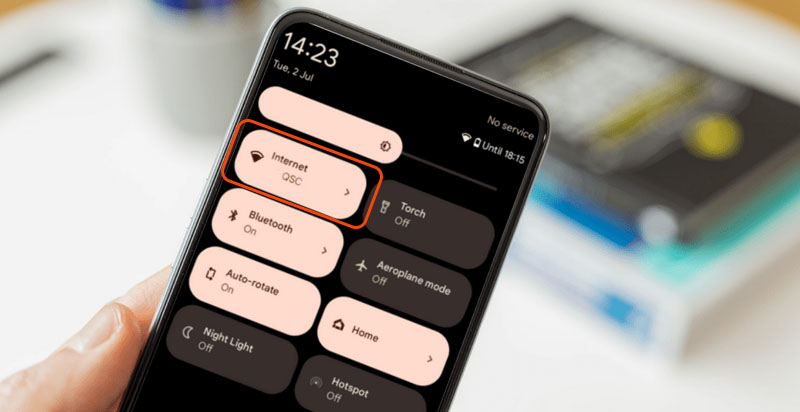
Should you turn off Wi-Fi after phone hacking is one of the first questions people ask once panic sets in. It sounds logical: if attackers need the internet, cutting the connection should stop them. But the real answer is more nuanced. Turning off Wi-Fi can help—but only in specific situations, and only as a temporary measure.
This article explains when disabling Wi-Fi actually reduces risk, when it does nothing, and how it fits into the correct response sequence. You’ll learn the difference between live access and persistent compromise, and how to avoid relying on a step that feels safe but may not solve the real problem.
Quick Navigation
What Turning Off Wi-Fi Really Does
Wi-Fi is just one network path.
What disabling Wi-Fi can stop
-
Active data transmission over that network
-
Real-time screen mirroring or live spying
-
Immediate remote commands
This can buy time, not fix the compromise.
For the full first-aid framework, review: If Your Phone Is Hacked: How to Know, What to Do, and How to Stay Safe
When Turning Off Wi-Fi Is a Smart Move
Context determines usefulness.
Situations where Wi-Fi off helps
-
You suspect live monitoring
-
Unknown apps are transmitting data
-
You need short-term isolation while securing accounts
In these cases, Wi-Fi off reduces exposure while you act.
If you’re in the emergency phase, follow this sequence: What to do immediately if your phone is hacked
When Turning Off Wi-Fi Does Almost Nothing
Many people rely on Wi-Fi off when the threat lives elsewhere.
Scenarios where Wi-Fi off is ineffective
-
Mobile data (4G/5G) is still enabled
-
Accounts are already compromised
-
Spyware runs offline and syncs later
If the attacker controls your email or cloud account, network toggles won’t stop them.
A full recovery order is explained here: If Your Phone Is Hacked: Step-by-Step Recovery Guide (Android & iPhone)
Wi-Fi vs Mobile Data vs Airplane Mode
Not all isolation methods are equal.
Comparing isolation options
-
Wi-Fi off only: Partial isolation
-
Mobile data off only: Partial isolation
-
Airplane mode: Full temporary isolation
Airplane mode is more reliable if you suspect live access—but still not a solution.
Android vs iPhone: Network Control Differences
Platform design affects behavior.
On Android devices
-
Apps may auto-switch between Wi-Fi and mobile data
-
VPN or accessibility abuse can persist offline
Related detection context: Signs your Android phone is hacked
On iPhones
-
Network isolation is stricter
-
Account-level compromise matters more than connectivity
Related detection context: Signs your iPhone is hacked
The Real Priority After Turning Off Wi-Fi
Isolation without follow-up is a dead end.
What must happen next
-
Secure email from a clean device
-
Lock down Apple ID or Google account
-
Review connected devices and sessions
If Wi-Fi off is the only action taken, the attacker usually regains access later.
When Network Isolation Becomes Risky
Over-isolating can also cause problems.
Risks of staying offline too long
-
Missing security alerts
-
Delayed account recovery
-
Restoring compromised backups later
Isolation should be temporary and intentional, not prolonged avoidance.
Security response guidance consistently emphasizes that network isolation is a containment step—not a remediation—because attackers often rely on stored credentials and account access rather than continuous connectivity Guidance on device isolation during security incidents
Frequently Asked Questions
Is turning off Wi-Fi enough to stop hacking?
No. It only limits live access temporarily.
Should I turn off mobile data too?
Yes, if you’re isolating the device.
Is airplane mode better than Wi-Fi off?
Yes, for short-term containment.
Can spyware still work offline?
Yes. Many sync data later.
What’s the most important step after isolation?
Securing email and core accounts.