Signs your iPhone is hacked are often harder to spot than on other devices because iOS is tightly controlled and hides most system activity from users. That’s a good thing for security—but it also means people often dismiss early warnings as “iPhone bugs” or temporary glitches.
This guide explains iOS-specific indicators of compromise, focusing on account behavior, configuration profiles, system permissions, and unusual sync activity. You’ll learn which signs actually matter, which ones are usually harmless, and when suspicion should turn into immediate action—without panic or guesswork.
Quick Navigation
How iPhone Compromise Usually Happens
Most iPhone hacks are account-driven, not system exploits.
Common entry points on iOS
-
Apple ID phishing
-
Malicious configuration profiles
-
Compromised backups restored to the device
Understanding the method matters because cleanup steps depend on it.
For the full response framework, see: If Your Phone Is Hacked: How to Know, What to Do, and How to Stay Safe
Apple ID Activity That Signals a Hacked iPhone
On iPhone, the Apple ID is the real target.
Warning signs in Apple ID security
-
Login alerts you didn’t initiate
-
New trusted devices added
-
iCloud sync activity when the phone is idle
If Apple ID access is lost, device-level fixes won’t help. Follow the recovery order here: If Your Phone Is Hacked: Step-by-Step Recovery Guide (Android & iPhone)
Configuration Profiles and Hidden Controls on iOS
This is one of the most overlooked risks.
Why configuration profiles matter
-
They can control network traffic
-
They may install certificates or VPNs
-
They survive app deletions
When profiles become dangerous
-
Installed outside work or school
-
You don’t recognize the issuer
-
Removal is blocked or restricted
If you find an unknown profile, treat it as a serious red flag.
Performance Issues on iPhone: Signal vs Coincidence
Performance alone is not proof—but context changes everything.
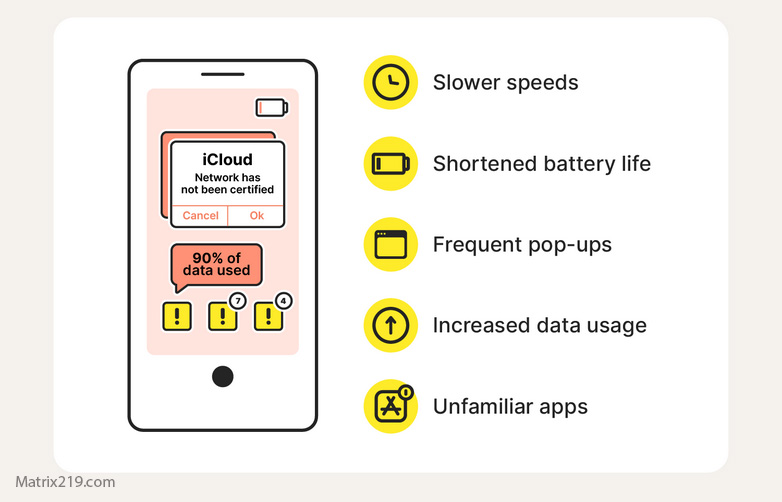
iPhone behaviors that may indicate compromise
-
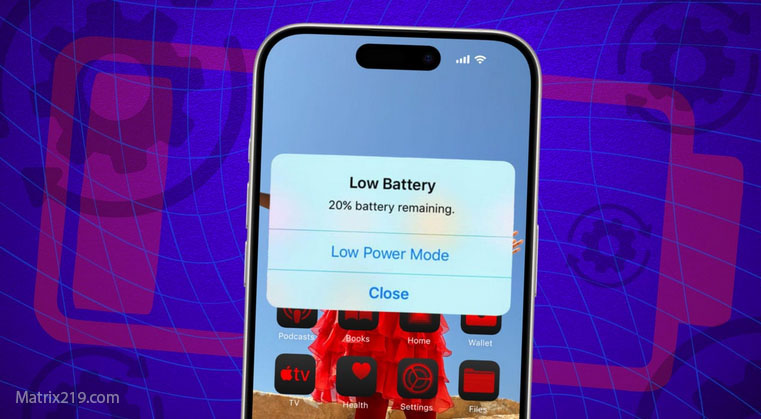
Battery drain combined with heavy background activity
-
Device warming while idle
-
Data usage without visible apps running
When it’s probably not hacking
-
After iOS updates
-
During iCloud sync or photo indexing
Patterns matter more than single events.
Related analysis: Is fast battery drain a hacking sign?
red flags hacked phone
Messaging and App-Level Clues on iOS
Attackers often pivot through apps tied to the phone number.
Signs linked to app compromise
-
Messages sent without your action
-
WhatsApp or iMessage sessions you don’t recognize
-
Verification codes arriving unexpectedly
If messaging apps are affected, broader account recovery is required.
See also: If WhatsApp is hacked through your phone
Jailbreak Indicators and Elevated Risk
Jailbroken iPhones change the threat model completely.
Signs an iPhone may be jailbroken
-
Apps outside the App Store
-
System behavior iOS normally blocks
-
Updates failing repeatedly
A jailbroken device is far more vulnerable to persistent spyware.
Learn more here: Jailbreak & hacking
When an iPhone Should Be Treated as Compromised
Assume compromise if:
-
Apple ID shows unauthorized access
-
Unknown configuration profiles cannot be removed
-
Issues persist after restoring from a clean backup
At this stage, containment and recovery steps matter more than confirmation.
Apple explains how iOS isolates apps and protects user data, which helps clarify what can and cannot be compromised at the system level in this overview: Apple iOS security architecture overview
Frequently Asked Questions
Can iPhones really be hacked like Android phones?
Less often at the system level, but account takeovers affect both equally.
Does iOS antivirus exist?
No. iOS relies on sandboxing and system controls, not traditional antivirus.
Can a factory reset remove all threats on iPhone?
Often yes—but only if the Apple ID and backups are clean first.
Are configuration profiles always dangerous?
No. Work and school profiles are normal; unknown ones are not.
Should I stop using my iPhone if I suspect hacking?
Limit usage until Apple ID security is confirmed.