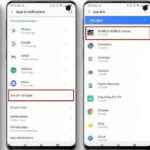
Spyware Permissions Explained is critical because most mobile surveillance does not rely on hidden exploits alone. Instead, spyware often abuses legitimate system permissions that users grant without fully understanding their impact.
Modern mobile operating systems protect devices through permission systems, but these systems assume informed user decisions. When dangerous permissions are granted casually, spyware gains deep visibility and control without triggering security alerts.
This article explains which phone permissions are most commonly abused by spyware, why they are dangerous, and how users can audit them effectively.
Why Permissions Matter More Than Apps
Spyware rarely needs to look malicious if it has powerful permissions. With the right access, even a simple app can monitor activity extensively.
Permissions determine what an app can see, hear, record, and control. Once granted, these permissions often persist silently in the background.
Understanding permissions shifts focus from “which app” to “what access” actually matters.
Accessibility Services Permission
Accessibility access is one of the most abused permissions in mobile spyware. It allows apps to observe screen content, read messages, log keystrokes, and interact with other apps.
Spyware uses accessibility services to capture passwords, messages, and app interactions—even in encrypted apps.
Only assistive tools for users with disabilities should ever require this permission. Any other app requesting it deserves scrutiny.
Device Administrator Privileges
Device admin permissions allow apps to enforce security policies, lock screens, prevent uninstallation, and control system behavior.
Spyware uses device admin access to maintain persistence and resist removal. Once granted, uninstalling the app may require additional steps.
Regularly reviewing device admin apps helps identify unauthorized control early.
Microphone and Camera Access
Microphone and camera permissions allow real-time surveillance. Spyware may record audio, capture images, or activate cameras without user awareness.
While many legitimate apps request these permissions, background access without clear purpose is a red flag.
Monitoring which apps have continuous microphone or camera access reduces covert recording risks.
Location Permissions
Location access enables continuous tracking of movement patterns. Spyware often requests “always allow” location access to monitor users even when apps are not actively used.
Precise location data is highly sensitive and should be restricted to apps with clear, ongoing need.
Understanding location tracking risks helps contextualize this permission’s impact.
Storage and File Access
Storage access allows apps to read photos, documents, recordings, and cached data. Spyware uses this to exfiltrate private files.
Modern operating systems offer scoped storage, but older devices and misconfigured apps may still expose full file systems.
Limiting storage access reduces data harvesting potential.
SMS, Call Logs, and Contacts
Access to SMS, call logs, and contacts enables complete communication mapping. Spyware uses these permissions to monitor conversations and social relationships.
Few modern apps need full access to these areas. Any such request should be justified clearly.
Notification Access
Notification access allows apps to read incoming messages and alerts, including one-time passwords and private notifications.
Spyware exploits this permission to intercept authentication codes and private communications without interacting directly with apps.
Notification access is often overlooked during audits.
How to Audit and Reduce Permission Abuse
Regular permission reviews help identify unnecessary access. Revoking permissions from unused or suspicious apps significantly reduces risk.
Operating systems provide dashboards that show which apps use sensitive permissions and when they were last accessed.
Auditing permissions should be part of routine mobile hygiene, not a one-time reaction.
When Permissions Alone Indicate Surveillance
While no single permission proves spyware, combinations of high-risk permissions raise concern. Accessibility access combined with device admin and notification access is especially suspicious.
Pattern recognition matters more than isolated permissions.
FAQ
Are all permission requests dangerous?
No. Context and necessity matter.
Is accessibility permission always bad?
No, but it should be rare and well justified.
Can permissions be abused without malware?
Yes. Legitimate apps can still over-collect data.
How often should permissions be reviewed?
Periodically, especially after installing new apps.
Does revoking permissions break apps?
Sometimes, but privacy trade-offs are worth evaluating.