Spyware Removal becomes urgent once users suspect their phone is already compromised. At this stage, the goal is not curiosity or prevention—it is containment, cleanup, and restoring control without making the situation worse.
Removing spyware is not always as simple as deleting an app. Some surveillance tools embed themselves through permissions, profiles, backups, or account access. Acting hastily can preserve the spyware or even alert the attacker without fully removing access.
This article explains what to do step by step if spyware is suspected or confirmed, and how to recover safely.
First Rule: Do Not Panic or Tip Off the Attacker
In cases involving stalkerware or domestic surveillance, sudden changes may alert the person monitoring the device.
If personal safety could be affected, prioritize safety planning over immediate removal. In some situations, preserving evidence or using a secondary device may be necessary.
Spyware removal is a process, not a single action.
Step 1: Secure Your Accounts First
Before touching the phone, secure your online accounts from a separate, trusted device.
Change passwords, enable multi-factor authentication, and review connected devices and active sessions. Account compromise can continue surveillance even after device cleanup.
Account-based risks are often mistaken for device spyware and must be handled first.
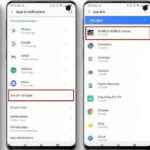
Step 2: Identify and Remove Suspicious Apps
Review installed apps and uninstall any you do not recognize or cannot verify.
If an app resists removal, check whether it has device admin privileges or special access. Revoke these permissions before attempting uninstall.
Do not reinstall apps immediately after removal. Observe device behavior first.
Step 3: Revoke High-Risk Permissions
Audit and revoke accessibility access, device admin privileges, notification access, and background location permissions.
Spyware often survives app removal through lingering permissions. Revocation ensures access paths are actually closed.
This step alone disables many consumer-grade surveillance tools.
Step 4: Remove Configuration Profiles and Enterprise Certificates
On devices that support profiles, review and remove any unfamiliar configuration profiles or enterprise management certificates.
These components can reinstall spyware, control network traffic, or enforce surveillance policies even after app deletion.
Profiles are one of the most overlooked persistence mechanisms.
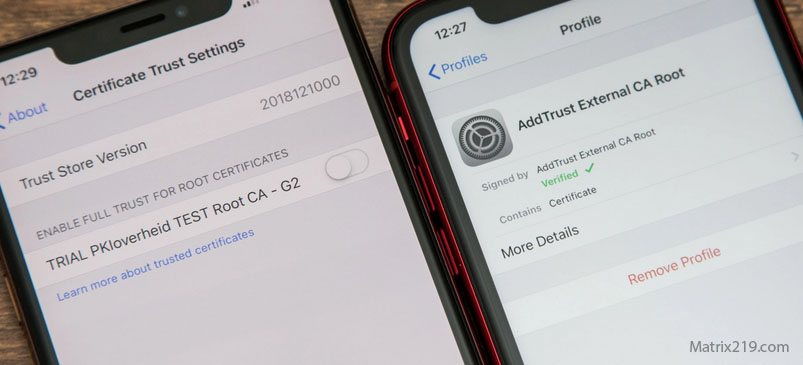
Remove Configuration Profiles and Enterprise Certificates
Step 5: Decide If a Factory Reset Is Necessary
A factory reset is often the cleanest solution—but only if done correctly.
Resetting without securing accounts, removing profiles, or avoiding compromised backups may restore the spyware immediately.
If you proceed with a reset:
-
Do not restore full backups automatically
-
Reinstall apps manually
-
Change credentials before restoring data
Resetting is effective only when done deliberately.
Step 6: Update the Operating System Immediately
After cleanup or reset, update the device to the latest operating system version.
Updates close known vulnerabilities and prevent re-infection through previously exploited weaknesses.
Delaying updates after removal increases risk of reinfection.
Step 7: Rebuild Trust Slowly
After removal, reinstall apps selectively. Avoid sideloading, cracked apps, or unnecessary utilities.
Monitor permissions and device behavior closely for several days. Spyware removal success is confirmed by absence of recurrence, not immediate normalcy.
When Removal May Not Be Enough
In rare cases involving advanced or system-level spyware, device replacement may be safer than continued cleanup attempts.
High-risk users should consider professional assistance rather than repeated resets that fail to restore confidence.
Knowing when to stop troubleshooting is part of effective response.
What Not to Do
Do not install multiple “spyware remover” apps hoping for magic fixes. Do not confront suspected attackers using the compromised device. Do not assume one clean scan equals full safety.
Spyware removal succeeds through methodical steps, not shortcuts.
FAQ
Can deleting one app remove all spyware?
Sometimes, but often additional permissions or profiles remain.
Is factory reset always necessary?
No, but it is the most reliable option when done properly.
Can spyware come back after removal?
Yes, if backups, profiles, or accounts remain compromised.
Should I get a new phone?
Only if persistent or high-risk spyware cannot be ruled out.
How do I know removal worked?
No recurring permissions, no abnormal behavior, and secured accounts.