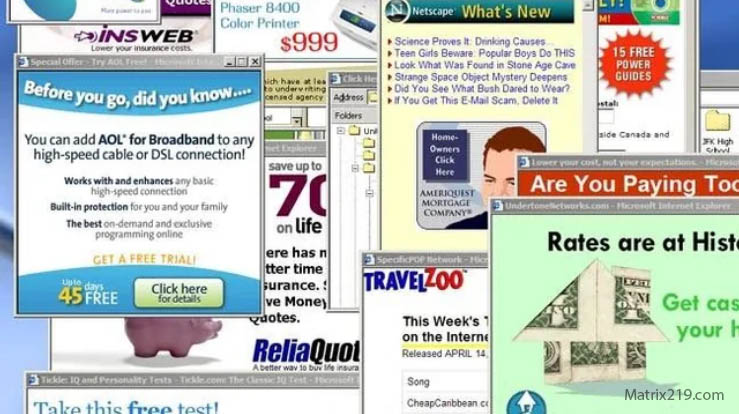
Strange pop-ups are one of the fastest ways to trigger panic. A random alert flashes, a fake warning claims your phone is infected, or an ad appears even when no browser is open. The question users ask immediately is simple: are these pop-ups a sign of hacking, or just aggressive advertising?
This article helps you tell the difference. You’ll learn how pop-ups actually work on phones, which behaviors point to adware versus real malware, and when pop-ups indicate a deeper phone compromise that requires immediate action. The goal is clarity—so you don’t overreact, and you don’t ignore real danger.
Quick Navigation
Why Pop-Ups Appear on Phones in the First Place
Not all pop-ups are malicious. Context matters.
Common non-malicious sources of pop-ups
-
Browser notifications you accidentally allowed
-
Free apps funded by ads
-
Web pages using deceptive “system alert” designs
These pop-ups usually stop when the app or site is closed.
For the broader detection framework, review: If Your Phone Is Hacked: How to Know, What to Do, and How to Stay Safe
Pop-Ups That Suggest Adware, Not Hacking
Adware is annoying—but it’s not always spyware.
Typical adware characteristics
-
Pop-ups appear only when a specific app is opened
-
Ads promote games, VPNs, or fake cleaners
-
No unusual account activity
Adware exploits attention, not access. Cleanup is often simple.
To understand how attackers escalate beyond ads, see: How hackers hide on phones
Warning Signs Pop-Ups May Indicate Malware
Some pop-ups are more than just ads.
High-risk pop-up behaviors
-
Alerts appear outside the browser
-
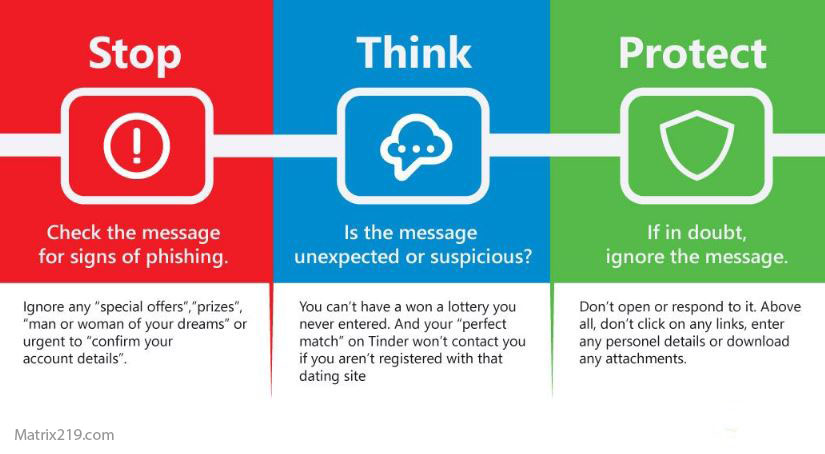
Pop-ups mimic system warnings or antivirus messages
-
Taps redirect to app installs or permission screens
When pop-ups push you toward installing tools or granting access, risk increases sharply.
If you’re unsure whether multiple signs add up to compromise, follow: If your phone is hacked how to know
Android vs iPhone: How Pop-Ups Behave Differently
Platform rules change how pop-ups appear.
On Android devices
-
Browser notifications and adware apps are common
-
Pop-ups may appear over other apps
Related detection guide: Signs your Android phone is hacked
On iPhones
-
Most pop-ups come from Safari or web apps
-
System-level pop-ups are extremely rare
Related detection guide: Signs your iPhone is hacked
How to Safely Stop Pop-Ups Without Making Things Worse
Don’t click first—verify first.
Safe steps to identify the source
-
Check which app last displayed notifications
-
Review browser notification permissions
-
Uninstall recently added apps one by one
If pop-ups persist after basic cleanup, deeper investigation is needed.
A structured recovery path is outlined here: If Your Phone Is Hacked: Step-by-Step Recovery Guide (Android & iPhone)
When Pop-Ups Mean Your Phone May Be Compromised
Treat pop-ups as a serious signal if:
-
They appear even in safe mode
-
They force redirects to install or settings
-
They coincide with account alerts or unknown permissions
At this stage, containment and recovery matter more than guessing.
Security analysis shows that most mobile pop-up attacks rely on social engineering and notification abuse rather than deep system exploits, which is why identifying the source of the alert is more important than the message itself Mobile adware and notification abuse overview
Frequently Asked Questions
Are pop-ups always a sign of hacking?
No. Most are adware or browser notifications.
Can pop-ups steal data by themselves?
Not usually—but they can lead you to install malware.
Why do fake virus alerts look so real?
They copy system UI elements to create urgency.
Is closing the browser enough?
Only if the pop-ups come from that browser.
Should I reset my phone because of pop-ups?
Only if they persist after identifying and removing the source.