Xiaomi & Samsung phones dominate large parts of the Android market, but their popularity—and customization layers—create brand-specific security risks that many users misunderstand. When a phone is hacked, these differences matter. System apps, permission managers, cloud services, and update behavior can all affect how compromises happen and how hard they are to remove.
This article explains Xiaomi- and Samsung-specific risks, how attackers exploit brand features, and what users should check first if something feels wrong. The goal isn’t to label these phones “unsafe,” but to help you recover correctly by understanding how they actually work.
Quick Navigation
Why Phone Brand Matters After Hacking
Not all Android phones behave the same way.
What differs by brand
-
Custom system apps and services
-
Permission layers on top of Android
-
Cloud sync and account ecosystems
-
Update frequency and fragmentation
Attackers often exploit brand behavior, not Android itself.
For the general incident framework, review: If Your Phone Is Hacked: How to Know, What to Do, and How to Stay Safe
Xiaomi (MIUI / HyperOS): Common Security Pitfalls
Xiaomi adds powerful—but complex—layers.
Xiaomi-specific risk areas
-
Hidden permissions in MIUI/HyperOS
-
Aggressive battery optimization masking background apps
-
Preinstalled system apps with broad access
-
Dual apps and second space hiding activity
Spyware can blend in by looking like a system service.
If you’re confirming compromise signs, see: Signs your Android phone is hacked
Samsung (One UI): Where Risks Usually Appear
Samsung focuses heavily on enterprise features.
Samsung-specific risk areas
-
Knox-related trust assumptions
-
Secure Folder hiding malicious apps if misused
-
Deep system permissions for Samsung services
-
Smart Switch restoring risky apps from backups
While Knox protects against many threats, account compromise still bypasses device trust.
For Android-level response, review: If your Android phone is hacked
Permission Abuse on Xiaomi vs Samsung
The same permission can behave differently.
On Xiaomi phones
-
Accessibility access may be hidden behind extra menus
-
Autostart permissions allow silent persistence
-
Background restrictions can hide activity from users
On Samsung phones
-
Device admin and special access are clearer
-
Secure Folder can isolate—but also conceal—apps
-
Work profile misuse can blur personal vs managed apps
Understanding where permissions live is critical during cleanup.
Deep dive here: Unknown apps & permissions explained
Cloud Accounts: Mi Account vs Samsung Account
Cloud access often outlives device cleanup.
Xiaomi cloud risks
-
Mi Account sync restoring apps and settings
-
Gallery, SMS, and notes syncing silently
Samsung cloud risks
-
Samsung Account syncing Secure Folder data
-
Smart Switch restoring entire app states
If these accounts remain compromised, resets may fail.
For correct sequencing, follow: If Your Phone Is Hacked: Step-by-Step Recovery Guide (Android & iPhone)
Brand-Specific Recovery Tips That Actually Help
Generic advice often misses brand traps.
Xiaomi recovery tips
-
Disable Mi Cloud sync before cleanup
-
Review AutoStart and Hidden Permissions
-
Remove unknown system-looking apps carefully
Samsung recovery tips
-
Review Secure Folder contents explicitly
-
Limit Smart Switch restores
-
Check Knox and device status warnings
If access keeps returning, escalate instead of repeating steps.
Guidance: Remove hacker access safely
When Brand Customization Makes Reset Risky
Factory reset isn’t equal everywhere.
Reset risks to watch for
-
Restored cloud apps reintroducing spyware
-
System updates lagging behind patches
-
Account auto-login during setup
Before resetting, understand the limits: Factory reset: when it works & when it doesn’t
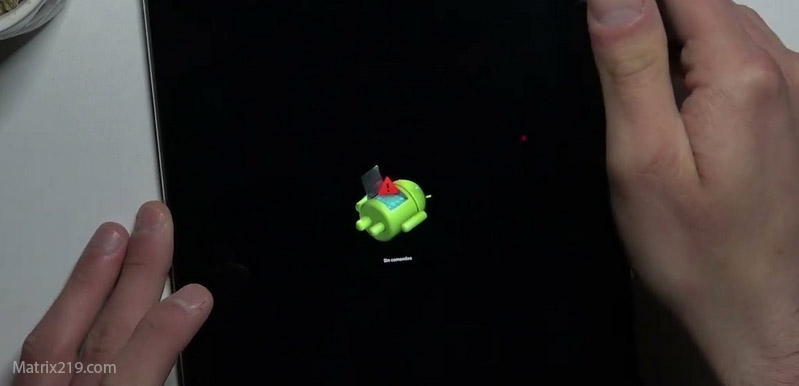
Factory reset when it works & when it doesn’t
When Brand-Specific Issues Are NOT the Problem
Avoid blaming the phone unfairly.
Usually not brand-related
-
Email or account takeover
-
SIM swap attacks
-
Phishing-based access
In these cases, brand differences matter less than account control.
For upstream checks, see: Secure your email after phone hack
When to Replace the Device
Sometimes recovery costs more than replacement.
Replacement is reasonable if:
-
Root-level compromise is suspected
-
Access persists after clean resets
-
Updates are no longer supported
In such cases, new hardware plus hardened accounts is often faster and safer.
Security research consistently shows that brand-specific Android customizations influence how spyware persists and hides, which is why understanding MIUI/HyperOS and One UI behavior improves recovery success far more than generic Android advice Android OEM customization and security persistence overview
Frequently Asked Questions
Are Xiaomi phones less secure than Samsung?
No. They’re different. Risk depends on configuration and updates.
Does Samsung Knox stop all hacking?
No. It protects the device, not compromised accounts.
Can brand apps hide spyware?
Yes—malicious apps often mimic system services.
Is factory reset enough on these phones?
Sometimes—but cloud accounts must be secured first.
Should I switch brands after hacking?
Only if updates or trust can’t be restored.