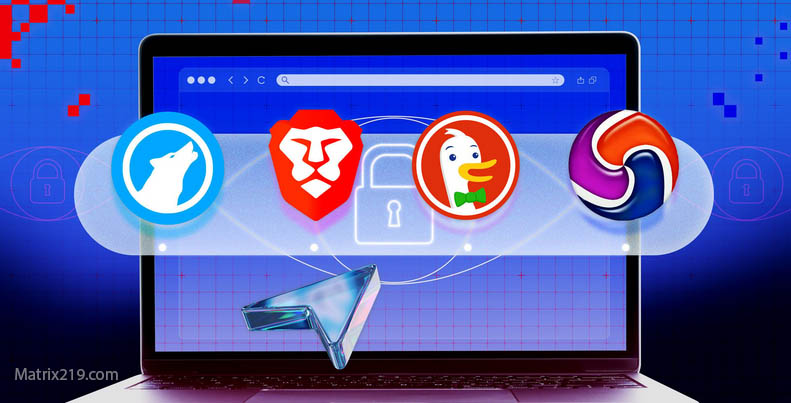
Best Privacy Browsers is a topic that attracts users looking for quick solutions to tracking concerns. With many browsers claiming strong privacy protection, it can be difficult to separate meaningful features from marketing language.
Not all privacy browsers work the same way. Some focus on blocking trackers, others reduce fingerprinting, and some minimize data sharing by design. Choosing the right browser depends on understanding what protections actually matter.
This article explains what makes a browser privacy-focused, compares common approaches, and clarifies which features genuinely reduce online tracking.
Quick Navigation
What Makes a Browser Privacy-Focused
Privacy-focused browsers prioritize limiting data collection by default. This often includes blocking third-party trackers, restricting cross-site cookies, and reducing telemetry.
Unlike mainstream browsers, many privacy browsers avoid collecting usage data or sharing it with partners. Defaults are designed to protect users without requiring extensive configuration.
To understand the tracking methods browsers, aim to block, see: How Websites Track You
Tracker Blocking and Cookie Controls
Most privacy browsers block known tracking domains automatically. This reduces third-party tracking across websites.
Advanced cookie controls isolate site data, preventing cross-site tracking even when cookies are enabled for functionality.
These protections address one of the most common tracking layers but do not eliminate all methods.
Fingerprinting Resistance Features
Some browsers attempt to reduce fingerprinting by limiting exposed browser characteristics. This may involve standardizing values or restricting access to certain APIs.
While these measures reduce fingerprint uniqueness, they do not completely prevent identification. Fingerprinting techniques are explained in detail here: Browser Fingerprinting Explained
Built-In Privacy vs Extensions
Privacy browsers integrate protections at the core level, making them more resilient than extensions alone. Extensions operate within browser limits and can increase fingerprint uniqueness if overused.
Combining a privacy browser with minimal, trusted extensions often provides better results than relying on extensions alone.
Limitations of Privacy Browsers
Privacy browsers do not stop account-based tracking. Logging into services still links activity to identity.
Network-level visibility remains unchanged without additional tools. Privacy browsers reduce exposure but do not create anonymity.
For broader context on tracking limits, see: Digital Privacy and Online Tracking: How You’re Tracked Online and How to Protect Yourself
Who Should Use a Privacy Browser
Users who want reduced tracking with minimal effort benefit most. Privacy browsers improve defaults without requiring technical knowledge.
Advanced users may prefer customized setups depending on threat models and usability needs.
Understanding who collects data regardless of browser choice helps guide decisions, as explained in: Who Collects Your Data Online
Who Collects Your Data Online
How to Choose the Right Privacy Browser
Choosing a privacy browser involves balancing privacy features, compatibility, update frequency, and transparency.
Evaluating how a browser handles telemetry and defaults matters more than brand reputation or marketing claims.
Privacy Browsers as Part of a Strategy
Browsers alone are not enough. They work best when combined with privacy-aware habits and realistic expectations.
For practical steps that complement browser choice, see: How to Stop Online Tracking
FAQ
Do privacy browsers block all trackers?
No. They significantly reduce tracking but cannot block every method.
Can privacy browsers prevent fingerprinting?
They reduce fingerprint accuracy but do not eliminate it.
Are privacy browsers harder to use?
Most are user-friendly, though some sites may require adjustments.
Do privacy browsers improve security?
They often improve privacy defaults, but security depends on updates and usage.
Should everyone switch to a privacy browser?
Users concerned about tracking benefit most, but the choice depends on needs.