Online Privacy Checklist is designed for users who understand how tracking works but want a clear, actionable way to reduce exposure without turning privacy into a full-time job. Knowing the theory behind digital privacy is important, but applying it consistently is what actually makes a difference.
Because online tracking operates across browsers, apps, devices, and accounts, effective privacy protection requires small but deliberate actions in multiple areas. A checklist approach helps translate complex concepts into manageable steps.
This article provides a practical online privacy checklist that users can revisit regularly to maintain better control over their digital footprint.
Quick Navigation
Browser Privacy Checklist
Browsers are one of the most exposed tracking surfaces. Adjusting browser settings can significantly reduce data collection.
Use a privacy-focused browser or hardened privacy settings.
Disable third-party cookies where possible.
Review installed extensions and remove unnecessary ones.
For a deeper understanding of browser tracking methods, see: How Websites Track You
Account and Login Checklist
Accounts connect activity across devices and platforms. Reducing unnecessary account usage lowers tracking accuracy.
Log out of accounts when not required.
Use separate browsers or profiles for logged-in services.
Review account privacy and activity settings periodically.
To understand how accounts affect tracking, review: Digital Privacy and Online Tracking: How You’re Tracked Online and How to Protect Yourself
App and Mobile Privacy Checklist
Apps collect data continuously through permissions and background processes. Regular reviews are essential.
Remove apps that are no longer needed.
Limit permissions to essential functions only.
Disable background data access where possible.
App-level tracking methods are explained in detail here: How Apps Track You
Device and System-Level Checklist
Devices expose identifiers that allow long-term recognition. While these cannot always be disabled, exposure can be reduced.
Reset advertising identifiers periodically.
Review system privacy settings after updates.
Limit data-sharing options where available.
Email and Communication Checklist
Email tracking is often invisible. Simple adjustments can reduce exposure.
Disable remote image loading when possible.
Be cautious with marketing emails and newsletters.
Use privacy-focused email services if available.
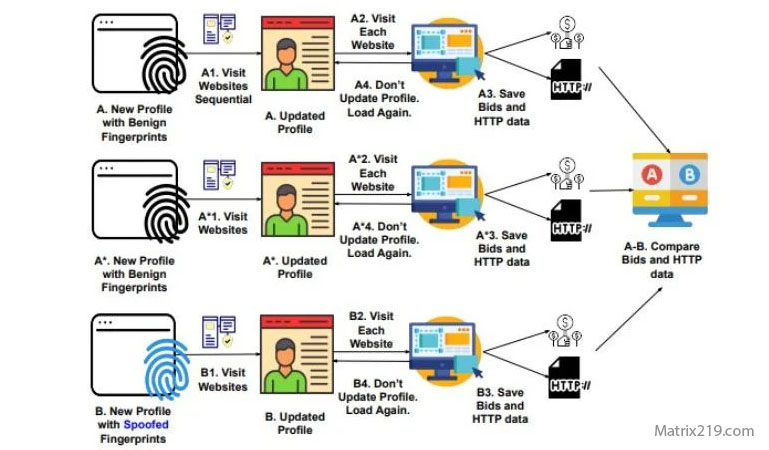
To understand how email tracking works, see: Online Tracking Beyond Websites
Online Tracking Beyond Websites
Behavioral Privacy Checklist
User behavior plays a major role in tracking accuracy. Small habit changes can reduce long-term profiling.
Avoid unnecessary logins for casual browsing.
Be selective with free services.
Review privacy settings after installing new tools.
Understanding who benefits from data collection helps guide decisions, as explained in: Who Collects Your Data Online
Making Privacy Sustainable
Privacy protection is not a one-time setup. Revisiting this checklist regularly helps maintain reduced exposure as platforms and technologies evolve.
Sustainable habits are more effective than extreme measures that disrupt everyday use.
FAQ
How often should an online privacy checklist be reviewed?
Every few months or after major system updates.
Does following a checklist guarantee privacy?
No, but it significantly reduces unnecessary data exposure.
Is this checklist suitable for non-technical users?
Yes. The steps focus on practical actions rather than technical complexity.
Can privacy habits replace privacy tools?
Habits and tools work best together.
Is online privacy maintenance time-consuming?
With a checklist approach, it becomes manageable and routine.