How Apps Track You is an important question because mobile applications have access to parts of our digital lives that websites often cannot reach as easily. Location, contacts, photos, sensors, notifications, device information, and usage patterns can all become part of an app’s data environment.
Many users assume that tracking begins only when they actively use an application. In reality, apps can interact with operating-system services, synchronize information, use analytics tools, and communicate with remote servers in ways that are not always obvious from the main interface.
That does not mean every app is secretly recording everything on a device. Modern operating systems place important restrictions around sensitive permissions, while developers must work within those system controls. The real privacy issue is understanding what information an app can access, why it needs that access, what other software is included inside the app, and what happens to the data after it leaves the device.
This article explains how apps track users, which signals they commonly rely on, how third-party SDKs expand data collection, and what users can realistically do to reduce unnecessary app tracking.
Quick Navigation
Why Apps Collect So Much Data
Apps collect data for many different reasons. Some information is necessary for a feature to work. A navigation application needs location data, a messaging application may need access to contacts, and a camera application needs access to the camera.
Other information supports analytics, personalization, advertising, fraud prevention, crash reporting, or product development, The privacy problem begins when users cannot easily distinguish between information that is required for a feature and information collected for additional purposes, Modern privacy therefore depends not only on whether an app asks for permission, but also on understanding why the permission is being requested and how the resulting data is used.
- For the broader tracking ecosystem, see Digital Privacy and Online Tracking.
App Permissions Are the First Tracking Layer
Permissions are the most visible connection between an app and the information stored on a device, Depending on the operating system and the permission involved, an app may request access to location, contacts, photos, camera, microphone, Bluetooth, local networks, motion data, or other resources.
Android distinguishes between different permission categories and requires runtime approval for many sensitive permissions. Its documentation also recommends minimizing permission requests and using alternatives when a feature does not actually require access to sensitive information Apple similarly allows users to review and revoke access to categories such as location, photos, contacts, camera, microphone, and other information through Privacy & Security settings, This makes permission management one of the easiest places for users to reduce unnecessary data exposure.
Why Some App Permissions Deserve More Attention
Not every permission represents the same level of privacy risk, Access to a microphone or camera can reveal information from the user’s physical environment. Location access can reveal movement patterns. Contacts can expose relationships between people. Photos may contain personal documents, faces, locations, or other sensitive information, The important question is whether the requested permission matches the actual function of the application.
For example, a photo-editing application may reasonably need access to selected photos. That does not automatically mean it needs unrestricted access to every photo on the device, Modern operating systems increasingly provide more granular ways to grant access. Android documents scoped alternatives such as photo and contact pickers, while Apple allows users to control access by data category.
Background Activity and Data Collection
Mobile applications can perform certain background tasks depending on the operating system, app configuration, permissions, and the specific feature involved Examples include synchronization, receiving notifications, uploading queued information, refreshing content, processing events, or maintaining communication with a service, Background activity does not mean an app has unrestricted access to everything on a phone. Operating systems impose restrictions on what applications can do when they are not actively being used.
From a privacy perspective, however, background communication still matters because information can be transmitted without the user actively interacting with the application at that exact moment, That is why users should pay attention not only to what an app does on screen, but also to its permissions, network activity, and privacy documentation.
Device Identifiers and App Recognition
Apps can use identifiers and other device-level signals to distinguish one installation or device from another The exact identifiers available to an application depend on the operating system and its permissions. Advertising identifiers, app-specific identifiers, account information, and technical characteristics can all contribute to recognizing activity over time, Modern mobile operating systems have introduced restrictions intended to reduce unrestricted cross-app tracking. Apple, for example, requires apps to request permission before tracking activity across other companies’ apps and websites for certain purposes.
These controls reduce some forms of tracking, but they do not mean that an app becomes completely unable to recognize a user or connect activity. Account logins, first-party analytics, and information voluntarily provided to the service can still create persistent relationships.
Behavioral Signals Inside Mobile Apps
Tracking does not always require access to obviously sensitive information, Apps can also generate behavioral information from normal interactions. Examples include which features are used, how frequently an application is opened, which screens receive attention, how users interact with content, and when certain actions occur.
Individually, these signals may reveal very little. When collected over long periods, however, they can help create a detailed picture of how an application is being used, This type of information can support recommendations, analytics, product optimization, fraud detection, or advertising systems depending on the application and its business model, The important distinction is that behavioral data can become valuable even when users never explicitly provide a piece of personal information.
Third-Party SDKs Inside Mobile Apps
One of the most important parts of app tracking happens behind the application’s visible interface, Developers frequently integrate third-party software development kits, commonly called SDKs, for analytics, advertising, crash reporting, payments, authentication, attribution, or other services, These components can introduce additional data-processing relationships into a single application.
Android’s developer documentation specifically warns developers to consider the permissions required by dependencies because including a library can introduce additional permission requirements, For users, this means that the privacy behavior of an app may depend on more than the company whose name appears on the app icon. Several service providers may be involved behind the scenes, This is one reason reading the app’s privacy information can be useful before installing an application.
App Analytics and Usage Measurement
Many applications use analytics systems to understand how people interact with their products, Analytics can measure events such as application launches, feature usage, errors, session activity, and interactions with specific parts of an interface.
Some analytics data is relatively anonymous or aggregated, while other implementations can be associated with accounts, installations, devices, or other identifiers, The privacy impact therefore depends on what information is collected, whether it is linked to an identifiable user, how long it is retained, and whether it is shared with other organizations.
Advertising and Cross-App Tracking
Advertising creates another layer of app tracking because advertisers often want to understand what users do across multiple applications and services, Mobile operating systems have introduced controls to limit some forms of cross-app tracking. Apple’s App Tracking Transparency framework, for example, requires permission for certain tracking across other companies’ apps and websites.
However, denying this type of tracking does not prevent every form of data collection inside an individual application, An app may still collect information needed to operate its service, maintain an account, analyze usage, prevent fraud, or provide other features, This distinction is important because disabling advertising tracking should not be confused with disabling all analytics or data collection.
Location Tracking and Mobile Apps
Location is one of the most sensitive categories of mobile data because repeated location information can reveal routines, workplaces, frequently visited places, travel patterns, and other behavioral details.
Fortunately, modern operating systems provide users with controls over location access. Depending on the platform and application, users may be able to deny access, allow approximate location, or limit when the application can use location information.
Android documentation emphasizes minimizing the scope of location access when precise or continuous access is unnecessary, Users should therefore avoid treating location permission as an all-or-nothing decision. The right setting depends on what the application actually needs to do.
How Apps Can Link Activity to an Account
Account-based identification is one of the simplest ways for an app to connect activity over time, When a user signs into an application, actions performed during that session can be associated with the account. If the same account is used on another device, the service can potentially connect activity across those environments.
This means that changing phones or reinstalling an application does not necessarily create a completely new identity from the service’s perspective, Account-based tracking is also important when considering cross-device tracking because the account itself can become the link between otherwise separate devices.
- For more detail, see Cross-Device Tracking Explained.
Why Uninstalling an App Is Not the Same as Deleting Its Data
Uninstalling an application generally removes the application from the device, but it does not automatically mean that every piece of information previously collected by the service has disappeared, Data may already exist in the company’s systems, backups, analytics platforms, account records, or third-party services.
The exact situation depends on the application and its data-retention practices, This is why users who want to reduce an existing digital footprint may need to consider account deletion and data-removal options in addition to simply uninstalling the application.
- For a broader look at this problem, see Removing Your Data Online.
How to Check What an App Can Access
One of the most practical privacy habits is reviewing permissions periodically instead of granting access once and forgetting about it.
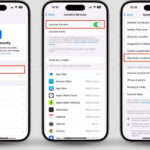
On Android, users can review application permissions through the system settings, while iPhone users can manage access through Settings > Privacy & Security. Apple also provides App Privacy Report on supported devices to show information about permission use and network activity, When reviewing an application, pay particular attention to:
- Location access.
- Camera and microphone access.
- Contacts and calendar access.
- Photos and files.
- Bluetooth and local-network access.
- Tracking permissions.
- Whether the application is still needed.
If a permission is unnecessary for the feature you use, denying or limiting that permission can reduce exposure.
How to Reduce App Tracking Without Giving Up Apps
Reducing app tracking does not require abandoning smartphones or deleting every application, A more practical approach is to reduce unnecessary access and minimize the number of services that receive personal information.
- Install apps only when they provide a genuine benefit.
- Review permissions after installation.
- Use approximate or limited location access when appropriate.
- Deny camera or microphone access when the feature does not require it.
- Remove unused applications.
- Review advertising and tracking settings.
- Avoid creating accounts when an account is unnecessary for basic functionality.
- Review an app’s privacy information before installing it.
- Keep the operating system and applications updated.
- Periodically review network and permission activity on supported devices.
These steps will not make a smartphone completely private, but they can significantly reduce unnecessary data exposure.
What App Privacy Controls Cannot Do
Privacy controls are useful, but they should not create a false sense of complete protection, Denying location access does not prevent an app from collecting every other type of information available to it. Disabling cross-app tracking does not automatically stop first-party analytics. Uninstalling an application does not necessarily erase historical data already stored by the service.
Privacy controls are therefore best understood as individual layers of protection, The strongest approach combines operating-system controls, careful account management, sensible app selection, and awareness of how mobile services process information.
Are Free Apps More Aggressive About Tracking?
Not necessarily. The price of an application alone does not determine its privacy practices, Some free applications collect extensive information because data and advertising support their business model. Other free applications may collect relatively little information. Likewise, a paid application is not automatically private.
The better approach is to evaluate what information the application says it collects, whether that information is linked to the user, whether it is used for tracking, and what third parties are involved, Apple’s App Store privacy information can provide useful disclosures about the categories of data an application may collect and whether certain data is linked to the user or used for tracking.
How App Tracking Fits Into the Bigger Privacy Picture
Mobile app tracking is only one part of a much larger digital identity system, A user’s activity may be connected through accounts, browsers, advertising systems, smart devices, social platforms, email, and other online services.
This means that protecting privacy on a smartphone cannot be reduced to one setting or one application, The goal is to reduce unnecessary connections between these systems and limit the amount of information that can be combined into a long-term behavioral profile.
- For another important layer of this ecosystem, see Device Fingerprinting vs Browser Fingerprinting.
FAQ
Do apps track users without permission?
Apps cannot simply bypass every operating-system permission. However, applications can collect information that does not require a particular sensitive permission, such as certain usage, account, diagnostic, or technical data. The exact scope depends on the platform and the app.
Does uninstalling an app stop tracking?
Uninstalling stops that application’s direct activity on the device, but it does not automatically erase information that was already collected or stored by the service.
Can apps track my location all the time?
That depends on the operating system, the permissions granted, and the application’s capabilities. Users should review location permissions and choose the most limited option that still provides the required functionality.
Does denying advertising tracking stop all app tracking?
No. Advertising tracking and first-party data collection are different. An app may still collect information necessary to provide its service or analyze its own usage.
Are app permissions enough to protect privacy?
No. Permissions are an important layer, but account activity, analytics, advertising systems, SDKs, and other data practices also matter.
How can I reduce app tracking?
Review permissions regularly, remove unused apps, limit location and sensitive-data access, review tracking controls, and avoid unnecessary accounts and services.
Are paid apps automatically more private?
No. Privacy depends on the app’s data practices, not simply whether the application is free or paid.