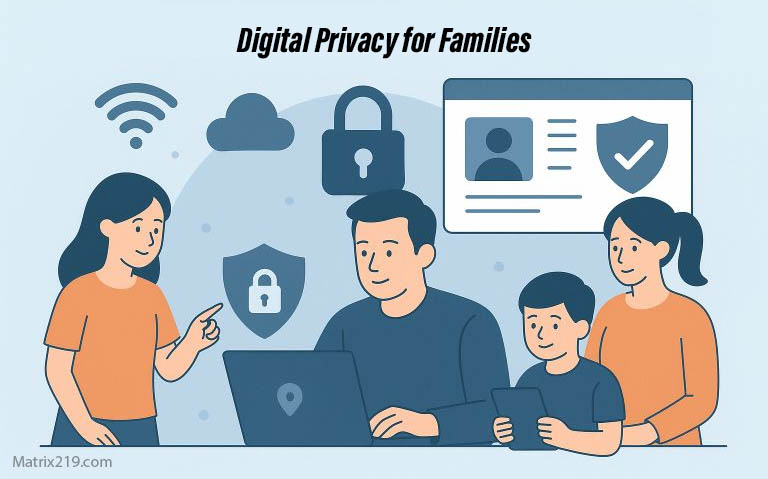
Digital privacy for families is becoming more important as households rely on shared Wi-Fi networks, smartphones, computers, smart TVs, gaming systems, connected devices, and online accounts, Family privacy is different from individual privacy because several people can share the same infrastructure while having very different needs. A child’s gaming account, a parent’s banking account, and a shared smart TV may all exist on the same home network without having the same privacy requirements.
The goal is not to eliminate technology or monitor every family member. It is to reduce unnecessary data exposure, separate important accounts and devices where practical, and create simple privacy habits that everyone in the household can understand.
Privacy note: Laws governing children’s online privacy vary by country and by the type of service involved. This article provides general privacy guidance and is not legal advice.
Quick Navigation
Why Family Privacy Is More Complex
Families share infrastructure, but shared infrastructure does not mean every account should be shared Home routers, computers, tablets, streaming devices, smart TVs, gaming consoles, and connected home products can create overlapping privacy and security risks Shared passwords and permanently logged-in accounts can make this problem worse because activity becomes harder to separate and a compromised account may affect more than one person.
- Understanding the broader tracking ecosystem is a useful starting point. See Digital Privacy and Online Tracking.
Children and Teenagers Have Different Privacy Needs
Children and teenagers use online services for education, entertainment, communication, gaming, and social interaction. These services can collect information about accounts, interactions, devices, and other activity depending on how they operate.
Younger users may also have less experience evaluating permission requests, privacy policies, advertising systems, or requests for personal information Parents should therefore focus on teaching children simple principles: do not share unnecessary personal information, question unexpected requests, understand app permissions, and ask for help when something feels unclear.
- For a deeper explanation of how applications can collect information, see How Apps Track You.
Children’s Online Privacy Has Special Legal Protections
Parents should also understand that children’s privacy can be subject to specific legal protections, but those rules depend on the country, the child’s age, and the type of online service involved.
In the United States, the Children’s Online Privacy Protection Act and its implementing rule provide specific protections for children under 13 in certain circumstances. Covered services may have obligations involving parental notice and consent, access to children’s information, deletion requests, data security, and limits on unnecessary information collection.
The FTC finalized changes to the COPPA Rule in 2025 that include stronger protections around the disclosure and monetization of children’s personal information, including requirements concerning third-party advertising These U.S. rules should not be treated as universal. Families in other countries may be protected by different privacy laws and age thresholds.
Keep Family Accounts Separate
Separate accounts are one of the simplest ways to improve household privacy.
Instead of using one login for everyone, create individual accounts whenever the service supports them. This makes it easier to control permissions, review activity, reset passwords, and remove access when necessary.
Separate accounts are particularly important for:
- Banking and financial services
- Social media
- Cloud storage
- Gaming platforms
- Streaming services
- School and education accounts
Account separation also limits the damage if one person’s credentials are compromised.
Shared Devices Need Separate User Profiles
A shared computer or tablet can expose browsing history, saved passwords, autofill information, cookies, files, and account sessions between family members Where supported, create separate operating-system or browser profiles for different users, This does not create complete privacy from the device owner or administrator, but it is much better than allowing every family member to use the same browser profile and account session, Important accounts such as banking and primary email should ideally be accessed from a trusted personal profile rather than a shared public or family profile.
Secure the Home Network
The home router is part of the family’s digital security boundary. A weak router configuration can affect many devices at once.
Families should:
- Use a strong Wi-Fi password.
- Change default router administrator credentials.
- Keep router firmware updated when updates are available.
- Review connected devices periodically.
- Remove devices that are no longer used.
- Use a separate guest network when appropriate.
A separate network can also be useful for some smart-home or guest devices, reducing unnecessary interaction with computers and other more sensitive devices.
Smart Home Devices Can Affect Everyone’s Privacy
Smart TVs, speakers, cameras, thermostats, doorbells, and other connected devices can generate information about how a household uses them The exact information collected varies by device. A security camera may process video, while a smart speaker may process voice commands and a connected thermostat may process environmental and usage information Families should therefore review the privacy settings of devices that contain microphones, cameras, location features, or cloud-connected services.
- For tracking technologies that operate beyond traditional web browsing, see Online Tracking Beyond Websites.
Parental Controls: Safety vs Privacy
Parental controls can help families manage screen time, restrict inappropriate content, limit purchases, or control access to certain services However, more monitoring does not automatically mean more privacy or better security, Some parental-control products may collect sensitive information about children and parents. A study presented through the FTC examined parental-control solutions and identified security and privacy weaknesses in many of the products evaluated.
When choosing a parental-control solution, families should consider:
- What information the product collects
- Where that information is stored
- Which third parties receive it
- How long information is retained
- Whether unnecessary monitoring features can be disabled
- What happens when the service is no longer needed
Whenever possible, built-in operating-system controls may provide useful restrictions without introducing another third-party service into the family’s data ecosystem.
Teach Children Privacy Instead of Relying Only on Controls
Technical controls are useful, but they cannot replace education, Children should gradually learn why certain information should not be shared publicly and how to recognize suspicious requests.
Useful lessons include:
- Do not share passwords with friends.
- Do not publish home addresses or private contact information.
- Be careful with photos that reveal locations or identifying details.
- Do not install unfamiliar apps without checking them.
- Ask before giving an app sensitive permissions.
- Tell a trusted adult when an online interaction feels threatening or confusing.
The objective is not to make children afraid of technology. It is to help them recognize situations where privacy matters.
Protect Family Accounts With Strong Authentication
A compromised account can affect the entire household when it is connected to shared services, recovery email addresses, cloud storage, or family subscriptions Use unique passwords for important accounts and enable multi-factor authentication where available Parents should also avoid storing passwords in shared documents, messages, or easily accessible notes, A password manager can make individual passwords easier to maintain without requiring every family member to memorize dozens of credentials.
Be Careful With Family Photos and Location Information
Photos can reveal more than the people or objects visible in the image. Depending on the device and settings, images may contain metadata such as location information Publicly sharing photos can also reveal school locations, home addresses, routines, travel plans, or other information that a family may prefer to keep private, Before publishing family photos publicly, consider whether the image reveals information that could identify where children live, study, or spend time.
Review Apps and Connected Services Regularly
Family privacy can gradually deteriorate as new applications, games, subscriptions, smart devices, and connected services are added.
Every few months, review:
- Unused applications
- Connected accounts
- Third-party logins
- App permissions
- Devices signed into important accounts
- Old family accounts that are no longer needed
Removing unused services reduces the number of places where personal information can remain stored.
Use Privacy Settings as a Family Routine
Privacy settings should not be treated as a one-time configuration task, A simple family review every few months can cover the most important areas without becoming complicated.
- Update important devices and applications.
- Review account security and MFA.
- Remove unused accounts and applications.
- Review sensitive permissions.
- Check connected devices.
- Review children’s apps and games.
- Check privacy settings on major social platforms.
- For broader tracking-reduction techniques that apply across the household, see How to Stop Online Tracking.
How Families Can Balance Privacy and Safety
Family privacy does not mean giving children unrestricted access to every service, and it does not mean monitoring every action they take A better approach is proportional protection.
Younger children may need stronger restrictions and closer supervision. As children become more independent, families can gradually shift toward education, privacy awareness, and responsible decision-making The right balance depends on the child’s age, maturity, the service being used, and the potential consequences of misuse.
What Family Digital Privacy Should Look Like
Strong family privacy is not about creating a completely isolated household. It is about making the important boundaries clear.
Keep important accounts separate, secure the home network, review connected devices, minimize unnecessary data collection, use parental controls carefully, and teach children how to make better privacy decisions.
These habits are more sustainable than trying to block every technology or tracking mechanism.
FAQ
Should families use shared accounts?
Usually, separate accounts are better for important services because they make permissions, security, recovery, and activity easier to manage. Some family-oriented services are intentionally designed around shared subscriptions or family groups, so sharing should be evaluated according to the service.
Are parental-control apps safe for privacy?
Not automatically. Some can collect sensitive information about children and parents, and research has identified privacy and security problems in some parental-control products. Review the product’s data practices and prefer the least invasive controls that meet the family’s needs.
Can children’s data be collected legally?
Yes, depending on the country, the child’s age, the service, and the circumstances of collection. In the United States, COPPA provides specific protections for children under 13 in covered services, including parental rights concerning collection and use of personal information. Other jurisdictions have different rules.
Do smart-home devices affect family privacy?
They can. Devices such as cameras, voice assistants, smart TVs, and connected appliances may collect information about their use or the environment around them. The exact privacy impact depends on the device and its configuration.
Should parents monitor everything their children do online?
Not necessarily. Monitoring should be proportional to the child’s age, maturity, and the risks involved. Education and clear family rules are important complements to technical controls.
How can parents protect children’s privacy without making technology difficult?
Start with a few high-value habits: separate important accounts, use strong passwords and MFA, keep devices updated, review app permissions, limit unnecessary personal information, and teach children to pause before sharing or responding to unexpected requests.